

Cloudways Review: Is Managed Cloud Hosting Worth the Markup?
Best for
- Freelancers, agencies, and small businesses who want managed cloud hosting without touching server configuration
- WordPress, WooCommerce, Magento, and Laravel users who want a choice of cloud provider without vendor lock-in
- Sites that want to pay only for what they use, via hourly billing, instead of a fixed monthly contract
- High-traffic WooCommerce or LMS sites that need true autoscaling (via the separate Autonomous product line)
Who should skip it
- Anyone who wants cPanel, WHM, or full root access — Cloudways abstracts the server layer away by design
- Sites needing built-in email hosting — mailboxes are a separate paid add-on
- Budget-conscious users who need backups, advanced Cloudflare, or advance support bundled into the sticker price
- Anyone running non-PHP applications — the platform is built specifically around PHP-based stacks
Quick facts
Pricing, verified
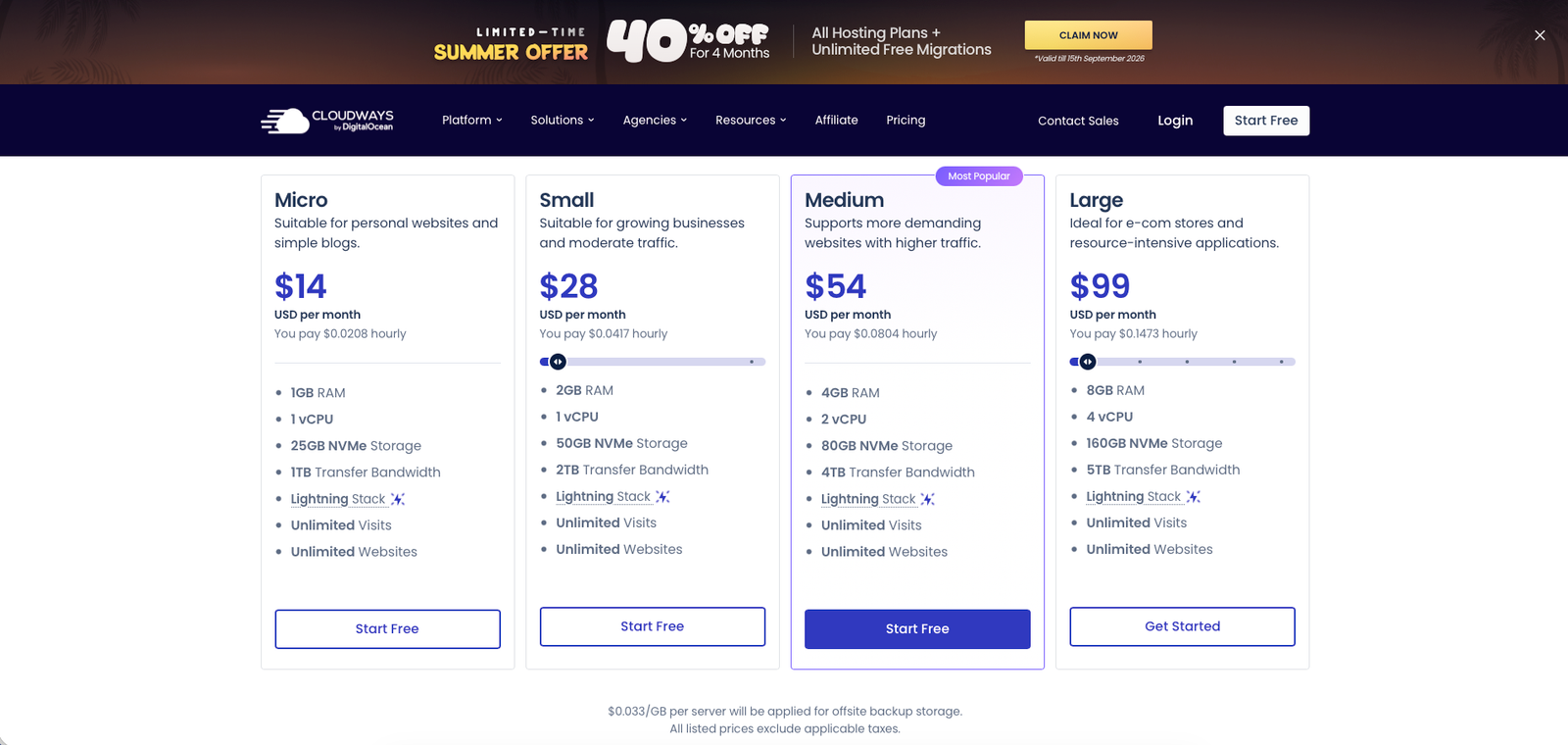
Cloudways runs two separate product lines: Flexible (hourly, pay-as-you-go servers on your choice of cloud provider) and Autonomous (fixed-price, fully managed WordPress with autoscaling). The table below shows Flexible pricing on DigitalOcean's Basic server type — Cloudways' cheapest entry point.
Micro
- 1GB RAM, 1 vCPU
- 25GB NVMe storage
- 1TB bandwidth
Small
- 2GB RAM, 1 vCPU
- 50GB NVMe storage
- 2TB bandwidth
Medium
- 4GB RAM, 2 vCPU
- 80GB NVMe storage
- 4TB bandwidth
Large
- 8GB RAM, 4 vCPU
- 160GB NVMe storage
- 5TB bandwidth
What Cloudways does
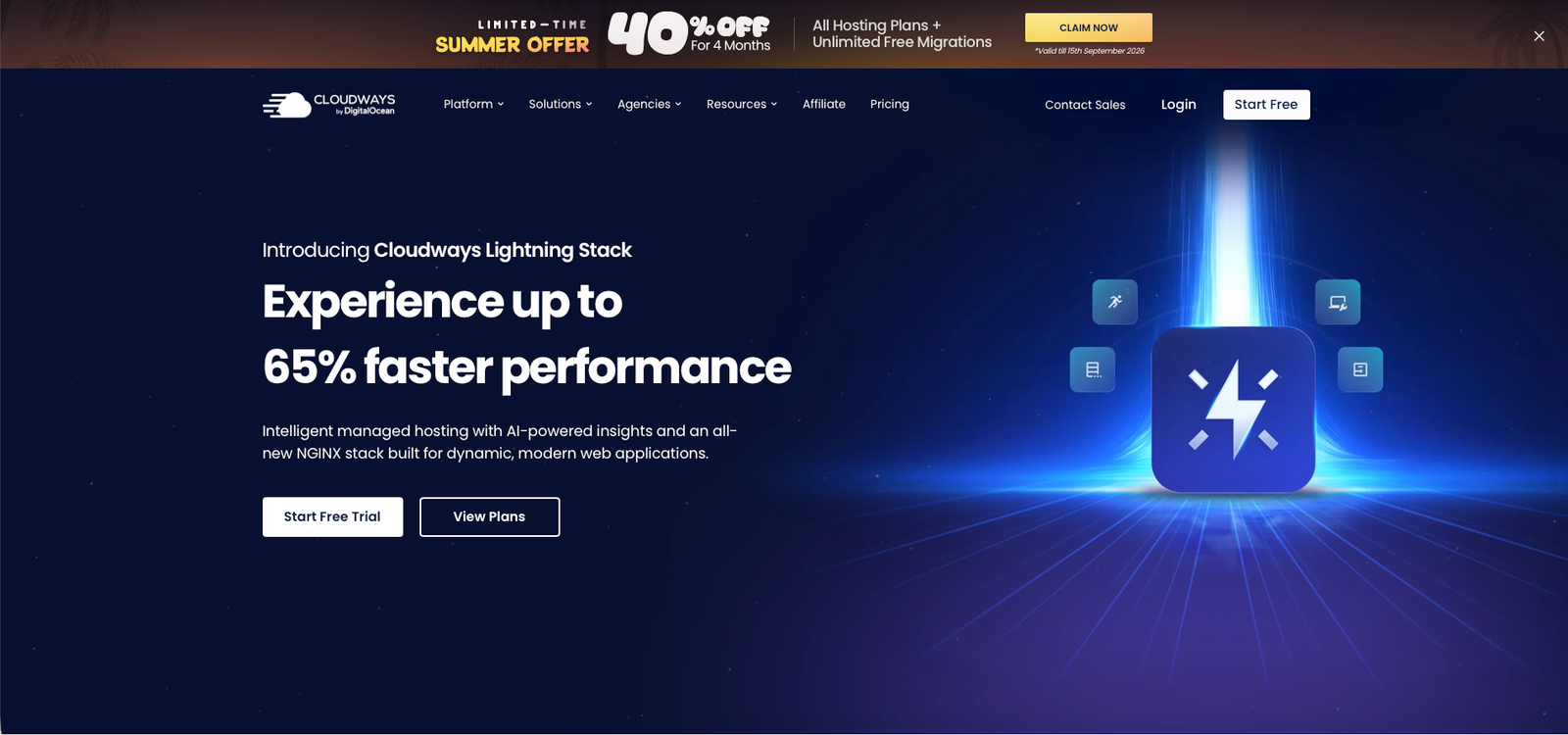
Cloudways is a managed cloud hosting platform that lets you launch WordPress, WooCommerce, Magento, Laravel, or general PHP applications on a cloud server from DigitalOcean, Vultr, Linode, AWS, or Google Cloud — without touching server administration directly.
What it does well / Where it falls short
What it does well
- A genuine choice of five top cloud providers on the same platform, so you can pick based on budget or performance without vendor lock-in
- The Lightning Stack (optimized NGINX and PHP-FPM) delivers strong, independently-verified speed — reviewers report 90-100 PageSpeed scores and A-grade GTmetrix results
- Genuinely easy to use for non-technical owners — one-click app installs, one-click WordPress staging, and a clean account dashboard
- 24/7 expert support that reviewers repeatedly describe as knowledgeable engineers rather than script-reading agents
- Free migrations from any host, plus a 3-day free trial that requires no credit card
- Hourly, pay-as-you-go billing with no long-term contract — scale a server up or down at any time
Where it falls short
- No cPanel, WHM, or root server access — intentional for a managed platform, but a real limitation for anyone wanting full control
- No built-in email hosting; mailboxes are a separate Rackspace Email add-on starting at $1.5/mailbox/month
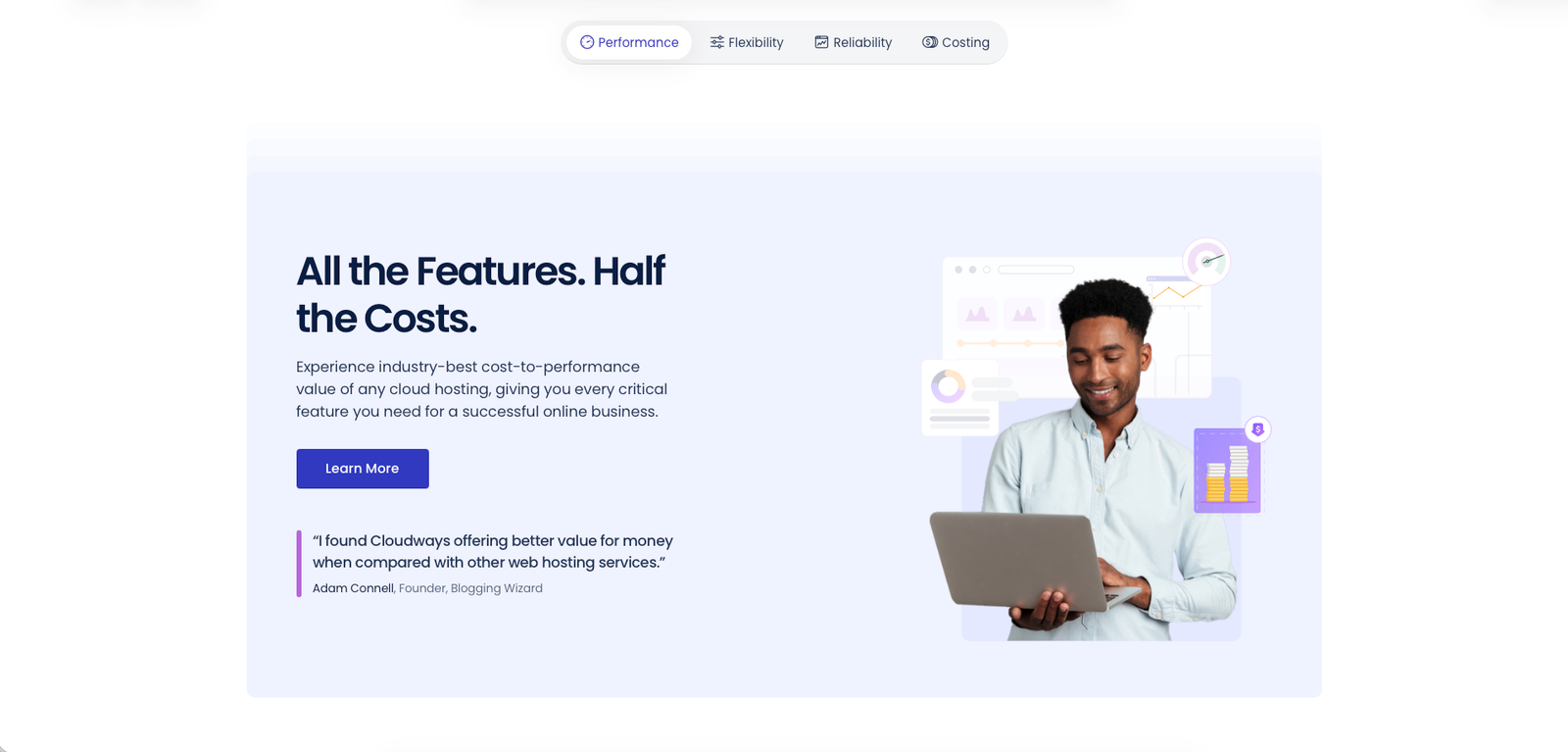
- Backups aren't bundled into the headline price — offsite backup storage costs $0.033/GB on top of the server rate
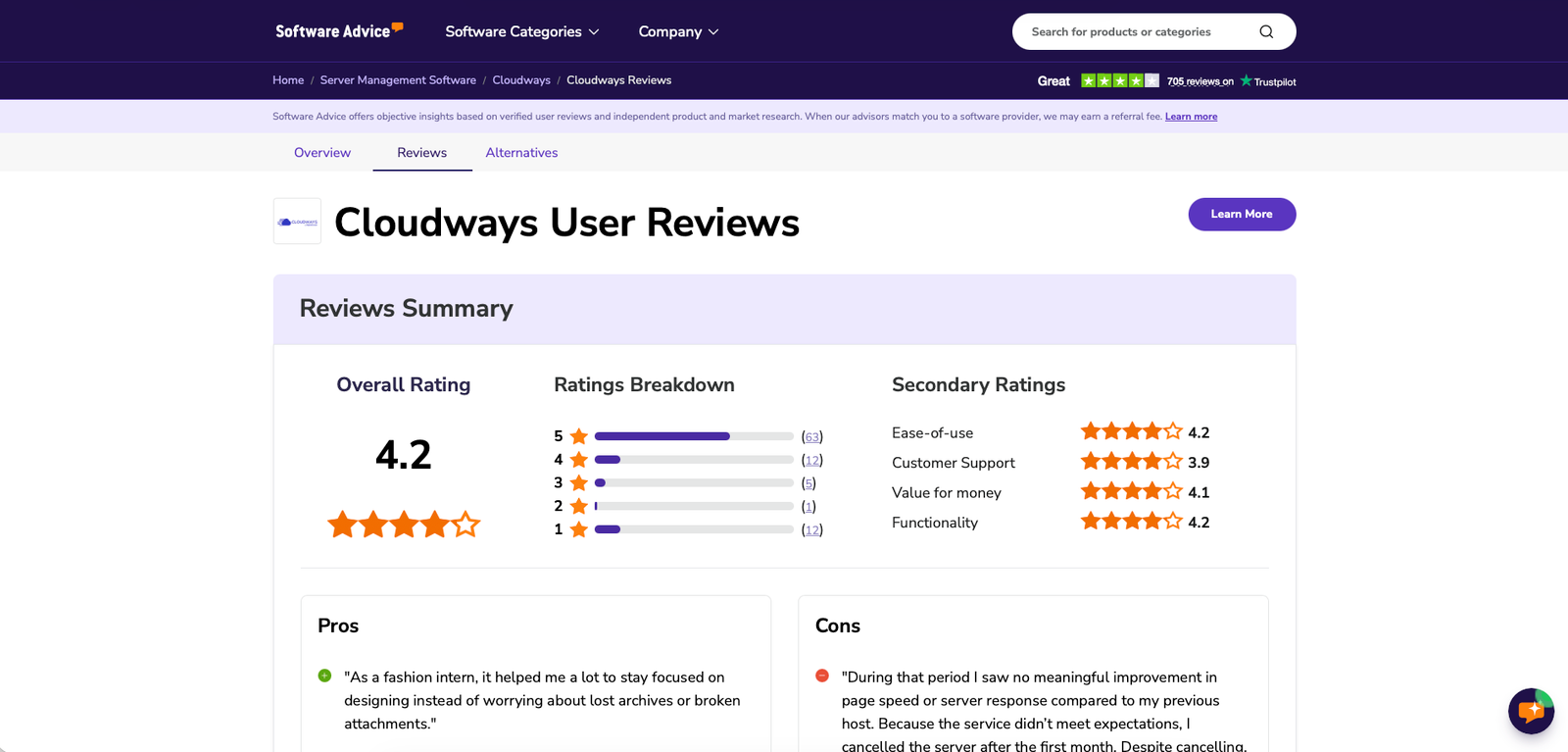
- Support quality is inconsistent across reviews: most reviewers praise it heavily, but a real minority report slow ticket responses or unhelpful interactions
- Setup pitfall: billing is postpaid and hourly, so there's no refund for unused time by design — and cancelling an account requires deleting every server first, after which all servers, apps, and data are permanently deleted with no recovery option, so back up everything before closing an account
- Built specifically around PHP-based applications — no platform-level support for non-PHP stacks
What people say
What people praise
- 24/7 support staffed by engineers who solve real problems, not just script-readers
- An exceptionally easy-to-use interface, even for non-technical users
- Exceptional reliability and noticeably faster load times than previous hosts
- Free migrations and a frictionless setup process
What people complain about
- Pricing that feels expensive once you move beyond the entry tier, plus extra charges for backups and email
- Inconsistent support quality — some reviewers report slow or unhelpful responses that contrast sharply with the average
- No free email accounts and no root access due to platform policy
When the paid plan is worth it
Use the free trial if: you just want to test the platform — 3 days, no credit card required.
Choose Micro ($14/mo) when: you're hosting a personal site or a simple blog with light traffic.
Choose Small ($28/mo) when: you're a growing business with moderate, steady traffic.
Choose Medium ($54/mo — Most Popular) when: your site sees higher traffic and needs more headroom.
Choose Large ($99/mo) when: you're running an e-commerce store or another resource-intensive application.
Choose Autonomous (from $99/mo, fixed) when: you run a dynamic, high-traffic WooCommerce or LMS site and want true autoscaling handled for you rather than managing a server yourself.
Our rating
How it compares
None of the sources reviewed for this piece put Cloudways head-to-head against one specific named competitor with verifiable figures, so rather than force a comparison table, here's where to look next.
How to actually use it
- Start the 3-day free trial (no credit card needed) and pick a cloud provider — DigitalOcean is the cheapest way to evaluate the platform.
- Size your first server against your real traffic: Micro for a simple blog, Medium if you expect meaningful traffic from day one.
- Use the free migration service to move an existing site instead of rebuilding it manually.
- Turn on automated backups and budget for the $0.033/GB offsite storage cost — it isn't included by default.
- If you need email hosting, budget for the separate Rackspace Email add-on rather than assuming it's bundled.
- Before ever cancelling, download full backups of every application — closing the account deletes all servers and data permanently once they're removed, with no recovery option.
- If your site is a high-traffic WooCommerce store or LMS, evaluate the separate Autonomous plans instead of manually scaling a Flexible server.
Pros & cons
Pros
- Choice of five cloud providers on one platform
- Genuinely fast, independently-verified performance
- Very easy to use for non-technical owners
- Widely-praised 24/7 expert support
- Free migrations, hourly billing, no long-term contract
Cons
- No cPanel or root access
- Backups and email hosting cost extra
- Support quality inconsistent for a real minority of users
- No refund for unused time; cancellation permanently deletes all data
- PHP-based applications only
Ready to try it?
Start a 3-day free trial with no credit card, or move an existing site over with a free migration.
Visit CloudwaysFAQ
Is Cloudways free to use?
There's no permanent free tier, but Cloudways offers a 3-day free trial with no credit card required. Paid Flexible plans start at $14/month on DigitalOcean's Basic server type.
How does Cloudways pricing actually work?
Flexible plans bill hourly against a monthly rate, postpaid — you're charged for what you used the previous month. Autonomous plans use fixed monthly pricing with pay-as-you-go overage fees for extra usage.
Does Cloudways offer refunds?
Not in the traditional sense — billing is postpaid, so there's no prepaid balance to refund. You can cancel anytime, but every server must be deleted first, and cancellation permanently deletes all servers, applications, and data with no way to recover them.
Which cloud provider should I pick on Cloudways?
DigitalOcean is the cheapest way to start; Vultr and Linode sit in a similar range; AWS and Google Cloud cost more but suit teams that already standardize on them.
Does Cloudways give me cPanel or root access?
No. Server administration is abstracted away by design as part of the managed hosting model — this is intentional, not a bug, but it means you can't get raw root access the way you could on an unmanaged VPS.
Sources
- Cloudways — homepage — accessed July 24, 2026
- Cloudways — Pricing — accessed July 24, 2026
- G2 — Cloudways reviews — accessed July 24, 2026
- Trustpilot — Cloudways reviews — accessed July 24, 2026
- Software Advice — Cloudways reviews — accessed July 24, 2026
- DevOpsCube — Cloudways review — accessed July 24, 2026
- Cats Who Code — Cloudways review — accessed July 24, 2026
- Web Hosting Cat — Cloudways review — accessed July 24, 2026
- Marriage, Kids and Money — Cloudways review — accessed July 24, 2026
- Finding the Universe — Cloudways review — accessed July 24, 2026