

Kit Review: Is the Creator-Focused Email Platform Worth the Price?
Best for
- Solo creators, writers, and podcasters who want to monetize a newsletter through paid subscriptions or digital products
- Anyone starting out — the free plan covers up to 10,000 subscribers with unlimited broadcasts, forms, and landing pages
- Creators who want visual, tag-based automation without needing a developer
- Teams switching from another platform who want free migration help
Who should skip it
- Large newsletters (50,000+ subscribers) that are price-sensitive — reviewers consistently note costs climb fastest at this scale
- Anyone who needs polished, design-heavy email templates out of the box
- Teams needing deep analytics (click maps, geo-tracking) without upgrading to the top plan
- Businesses outside the creator/newsletter space needing broader e-commerce or transactional email tooling
Quick facts
Pricing, verified
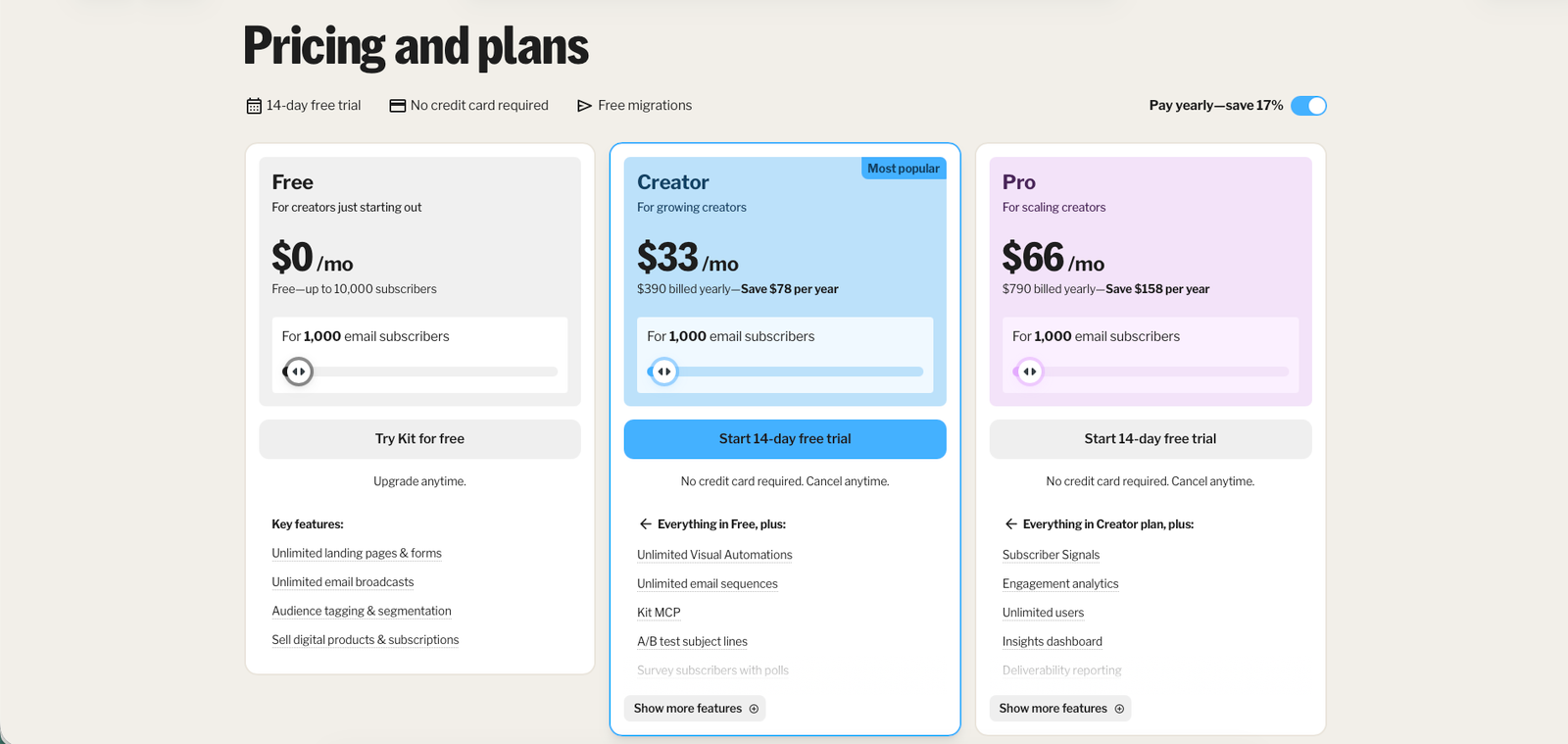
Kit runs three tiers: a genuinely free plan for small lists, and two paid tiers priced against a 1,000-subscriber baseline that scales up as your list grows.
Free
- Up to 10,000 subscribers, 1 user
- Unlimited landing pages & forms
- Unlimited email broadcasts
- Tagging & segmentation, digital product sales
- No automated email sequences
Creator
- $390/year if billed annually (saves $78/year)
- 2 users
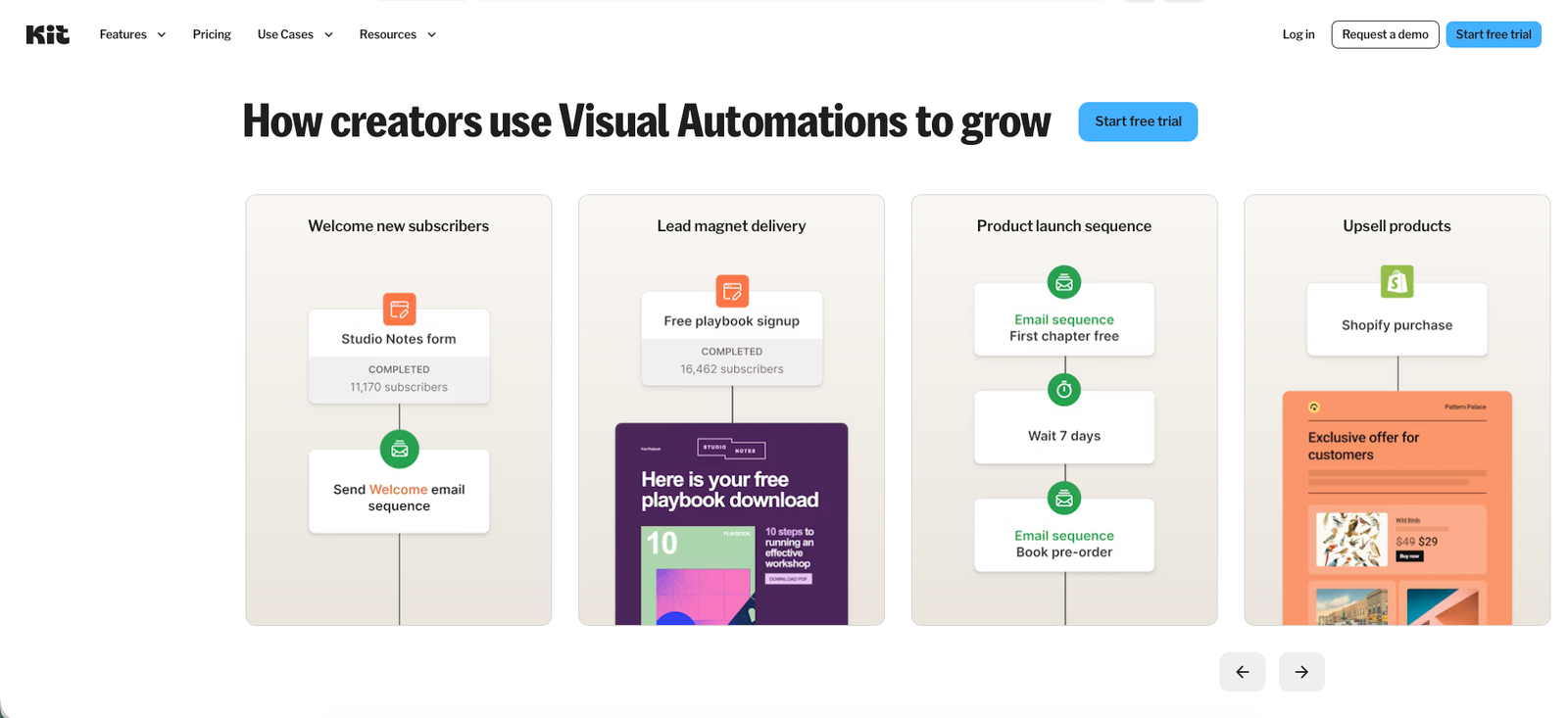
- Unlimited visual automations & email sequences
- A/B testing, SMS marketing, RSS campaigns
- 100+ app integrations, 24/7 email & chat support
Pro
- $790/year if billed annually (saves $158/year)
- Unlimited users
- Subscriber Signals, engagement analytics, deliverability reporting
- Collaborative editing, advanced A/B testing, custom tracking domain
- 24/7 priority email & chat support
What Kit does
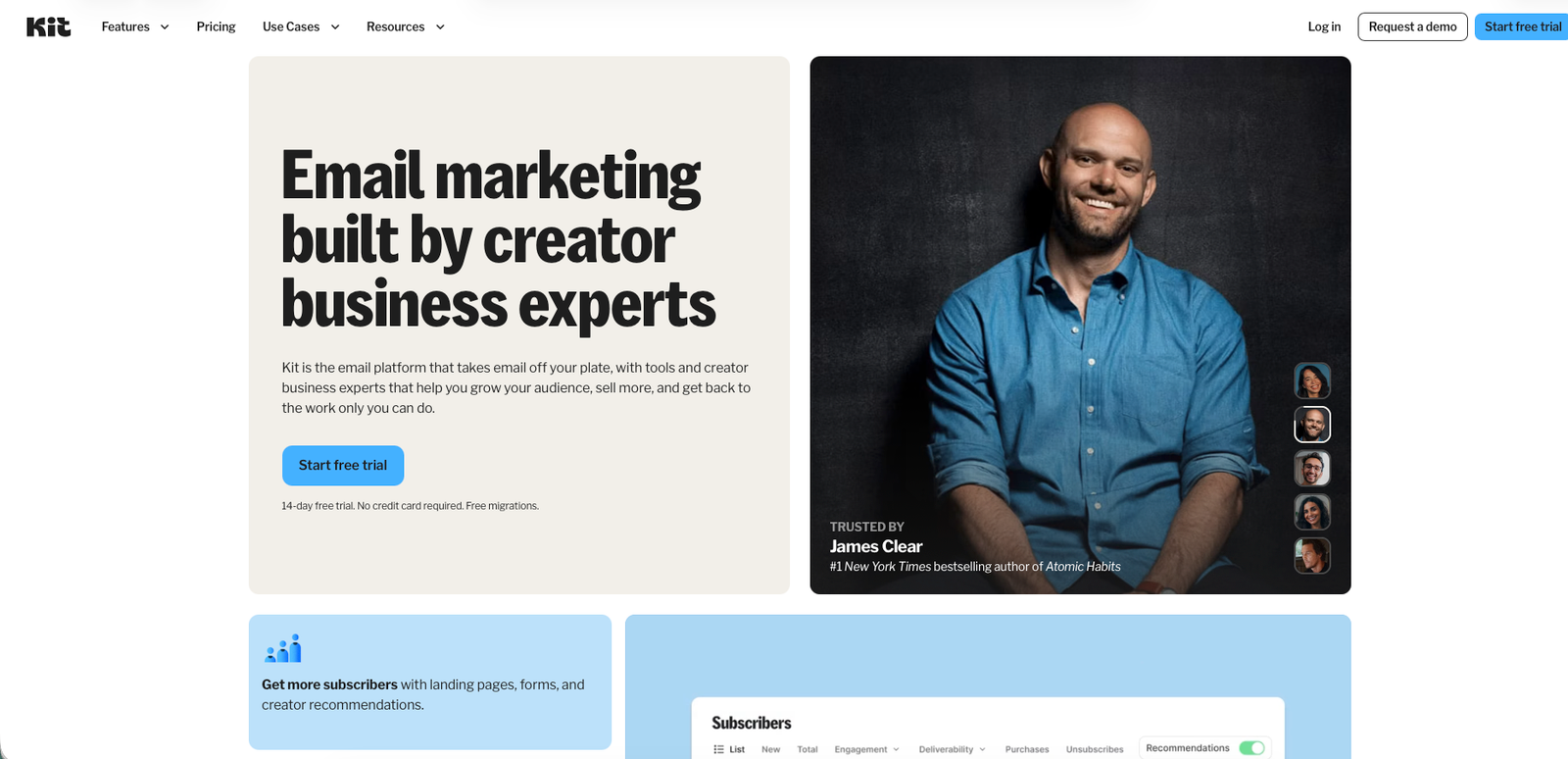
Kit (formerly ConvertKit) is an email marketing and newsletter platform built specifically for independent creators — it combines landing pages, forms, visual automations, and email broadcasts with built-in monetization tools like paid newsletters and digital product sales.
What it does well / Where it falls short
What it does well
- Built-in monetization — paid newsletters, digital product sales, and sponsorships — that most direct email-marketing competitors don't offer natively
- A flexible automation system: a full visual workflow builder alongside a simpler rules-based option for non-technical users
- A genuinely usable free plan that covers up to 10,000 subscribers with unlimited broadcasts, forms, and landing pages
- Consistently praised as fast and easy to learn, with reviewers citing a short time-to-first-email
- Free migration assistance when moving a list over from another platform
Where it falls short
- No automated email sequences on the Free plan — welcome and nurture automations require upgrading to Creator or higher
- Pricing climbs as your subscriber count grows; official pricing is only published at the 1,000-subscriber baseline, and independent reviewers repeatedly flag list growth as the main cost driver
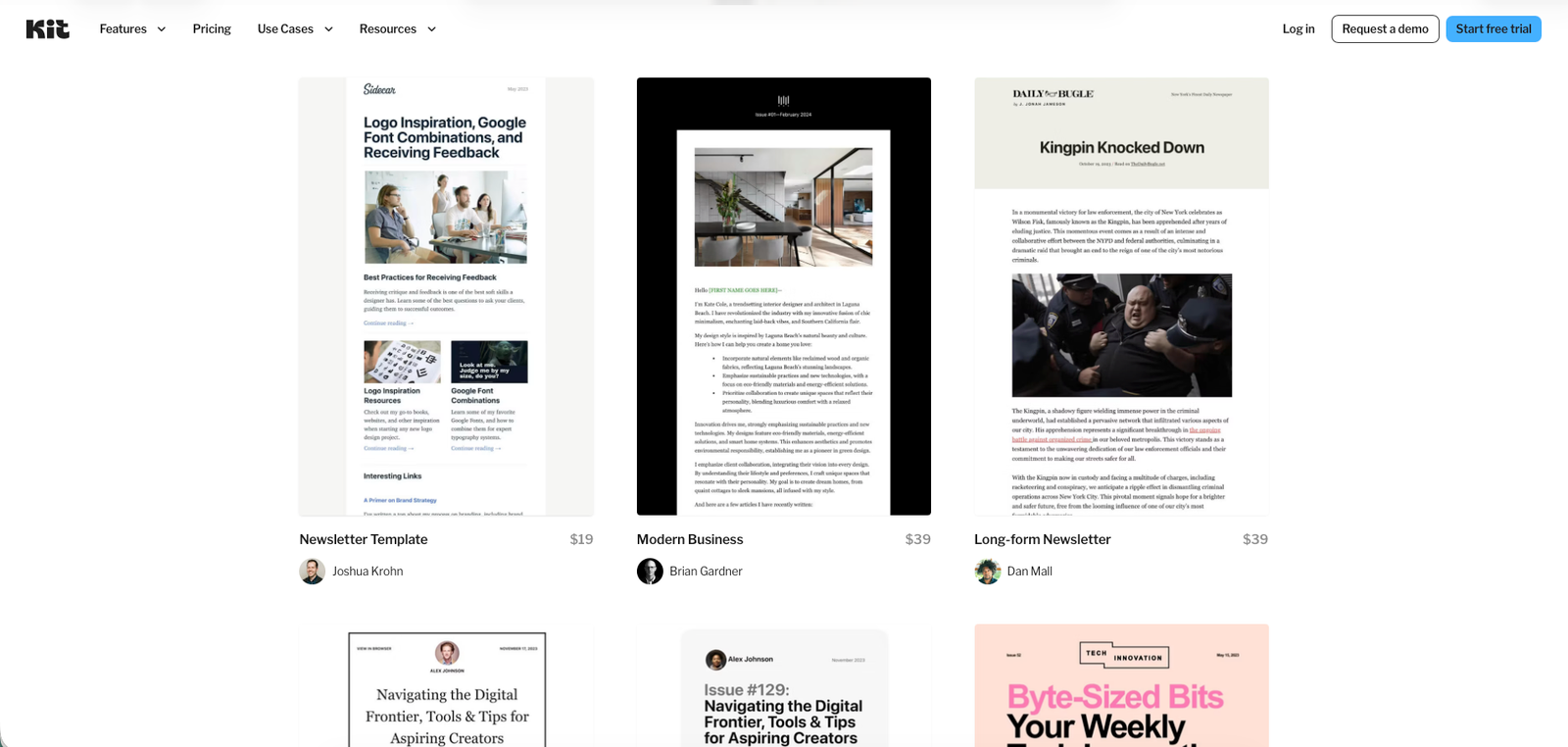
- A small free template library, with additional premium templates sold separately for $19–$39 each
- Analytics stay basic on the Free and Creator tiers — deeper reporting like click maps or geo-tracking sits behind Pro or isn't offered at all
- Setup pitfall: plans upgrade automatically once your list crosses a subscriber threshold, but reviewers report that downgrading back down afterward is a manual, less straightforward process
What people say
What people praise
- An intuitive, easy-to-learn interface for building lists and campaigns
- Automation that's approachable even for non-technical users
- Straightforward integration with other tools
- Quick onboarding and time-to-first-send
What people complain about
- Pricing that climbs quickly for smaller creators as their list grows
- Inconsistent support experiences, including reports of scripted responses
- Missing features such as image organization, audio embedding, and segment-level metrics
- Automatic plan upgrades paired with a manual, less convenient downgrade process
When the paid plan is worth it
Stay on Free if: your list is under 10,000 subscribers and you don't yet need automated sequences — you still get unlimited broadcasts, forms, landing pages, and even digital product sales at no monthly cost.
Upgrade to Creator when: you need automated welcome or nurture sequences, A/B testing, SMS marketing, or a second team member — none of that is available on Free.
Upgrade to Pro when: you want subscriber-level analytics, deliverability reporting, collaborative editing, or need to add unlimited team seats.
Our rating
How it compares
Independent reviewers most often set Kit against beehiiv when discussing cost at scale. Here's what's actually verified versus what's third-party commentary:
| Kit | beehiiv (as reported by reviewers) | |
|---|---|---|
| Best for | Solo creators monetizing via paid newsletters or digital products | Newsletter publishers focused on scaling large lists, per reviewer commentary |
| Free plan ceiling | 10,000 subscribers, full feature set (no sequences) | Not independently verified here — check beehiiv's own site for current terms |
| Cost at 50,000+ subscribers | Rises significantly past the 1,000-subscriber baseline, per multiple reviewers | Reported as cheaper at this range by the same reviewers |
How to actually use it
- Start on the Free plan and set up your first landing page or form to begin collecting subscribers — it's unlimited even before you pay anything.
- If you're moving a list from another platform, use Kit's free migration support instead of re-importing everything manually.
- Once you're ready to automate a welcome sequence, start the 14-day Creator trial — this is the point where the free plan's lack of sequences becomes a real limitation.
- Use tagging and segmentation early, even with a small list — it's what makes Kit's automation useful later as your list grows.
- If you plan to sell digital products or a paid newsletter, factor the 3.5% + $0.30 transaction fee into your pricing before launch.
- Watch your subscriber count against the pricing tiers — an automatic upgrade triggers once you cross a threshold, and downgrading back is a manual step.
Pros & cons
Pros
- Generous free plan up to 10,000 subscribers
- Built-in monetization: paid newsletters, digital products, sponsorships
- Flexible visual + rules-based automation
- Fast, beginner-friendly interface
- Free migration from other platforms
Cons
- No automated sequences on the Free plan
- Pricing rises quickly as your list scales past 1,000+ subscribers
- Small free template library; extra templates cost $19–$39 each
- Support quality is inconsistent according to reviewers
- Automatic upgrades with a manual downgrade process
Ready to try it?
Start free with up to 10,000 subscribers, or trial the full automation toolkit for 14 days — no credit card required.
Visit KitFAQ
Is Kit free to use?
Yes. The Free plan supports up to 10,000 subscribers with unlimited email broadcasts, forms, and landing pages, plus digital product sales. It does not include automated email sequences — those require the Creator plan or higher.
How does Kit's pricing scale as my list grows?
Kit's official pricing page only publishes fixed numbers at the 1,000-subscriber baseline ($33/month for Creator, $66/month for Pro). Beyond that, price is calculated by a subscriber-count slider on the pricing page rather than a published table, and independent reviewers consistently note costs rise noticeably once a list passes 10,000 subscribers.
Does Kit charge extra fees for selling digital products?
Yes. On top of the plan price, Kit charges a 3.5% + $0.30 transaction fee on digital product and paid-subscription sales.
Can I move my existing list from another platform to Kit?
Yes. Kit offers free migration assistance for creators switching over from a competing email platform.
Is there a free trial for the paid plans?
Yes, a 14-day free trial is available on the paid plans, and no credit card is required to start it.
Sources
- Kit — homepage — accessed July 16, 2026
- Kit — Pricing — accessed July 16, 2026
- Kit — Automations feature page — accessed July 16, 2026
- Kit — Template marketplace — accessed July 16, 2026
- G2 — Kit reviews — accessed July 16, 2026
- EmailToolTester — Kit / ConvertKit review — accessed July 16, 2026
- Xamsor — Kit review — accessed July 16, 2026
- Email Vendor Selection — Kit review — accessed July 16, 2026
- Hack'celeration — Kit review — accessed July 16, 2026
- Email Crush — ConvertKit guide — accessed July 16, 2026
- André Chaperon — ConvertKit review — accessed July 16, 2026