

SurveyMonkey Review: Is It Still Worth Paying for Surveys?
Best for
- Businesses that regularly collect customer, employee, market, or event feedback
- Teams that need more survey logic, branding, exports, and integrations than a basic form builder provides
- Researchers and marketers that value a mature template library and structured survey workflows
- Organizations that need collaboration, permissions, advanced analysis, or enterprise governance
Who should skip it
- Occasional users who only need a simple questionnaire and can work within Google Forms or another free tool
- Budget-sensitive creators who need advanced logic and exports but cannot justify a paid subscription
- Users who dislike annual billing on the better-value individual and team plans
- Anyone expecting the Basic plan to provide unrestricted access to responses and advanced features
Quick facts
Pricing, verified
SurveyMonkey has a usable free entry point, but its paid pricing needs careful reading. Individual users can choose a true monthly Standard plan at $129 per month, while the lower displayed monthly prices on Advantage and Premier require annual billing.
Basic
- 1 user
- Unlimited surveys
- Up to 10 questions per survey
- Limited viewable responses
- Basic question types and sharing tools
Standard Monthly
- Billed monthly
- 1 user
- Unlimited questions
- 1,000 responses per month
- Skip logic, exports, branding, and 200+ integrations
Advantage Annual
- $468 billed annually
- 1 user
- 15,000 responses per year
- More analysis and customization features
Premier Annual
- $1,668 billed annually
- 1 user
- Higher response allowance
- Advanced survey and analysis capabilities
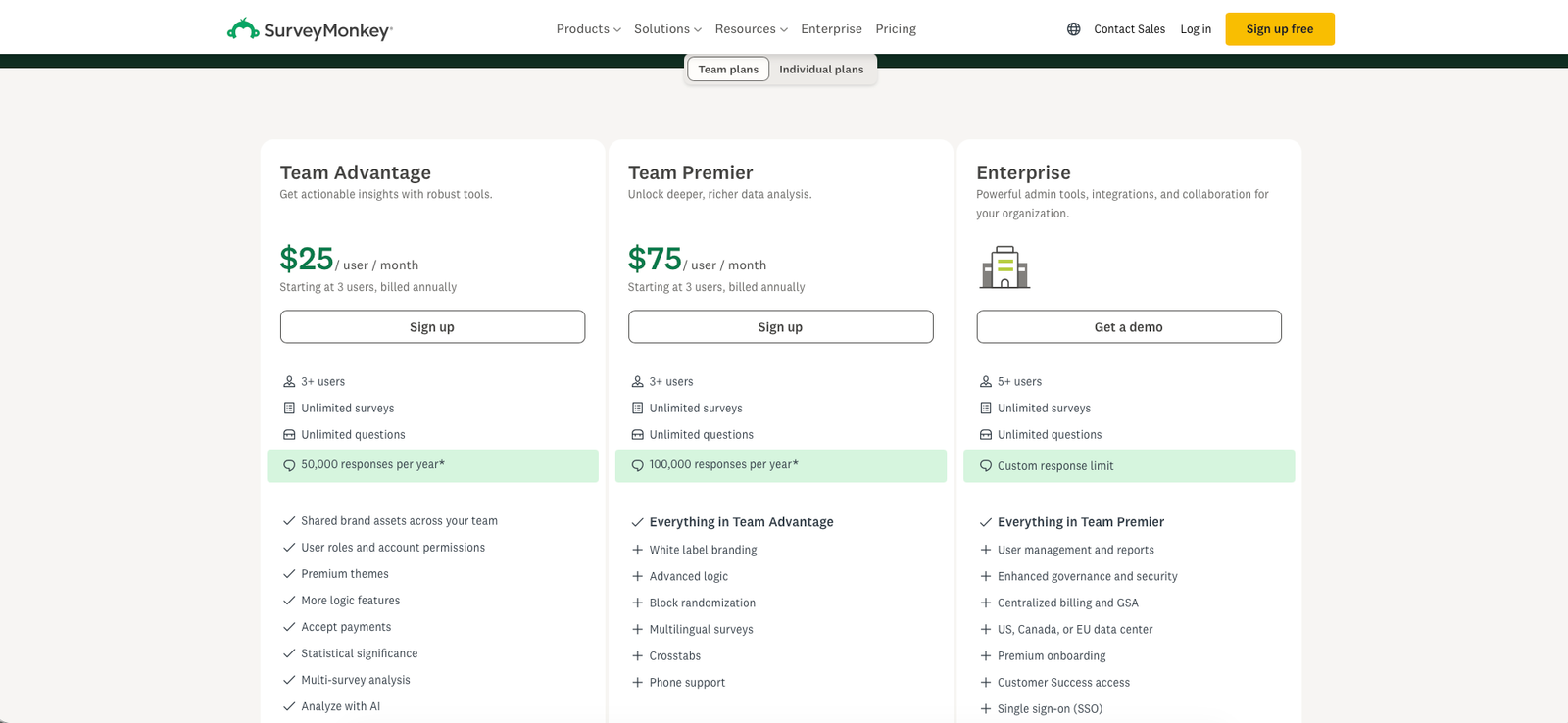
Team pricing follows a different structure. Team Advantage starts at $30 per user per month and Team Premier at $92 per user per month, with both requiring at least three users and annual billing. Enterprise pricing is quote-based.
What SurveyMonkey does
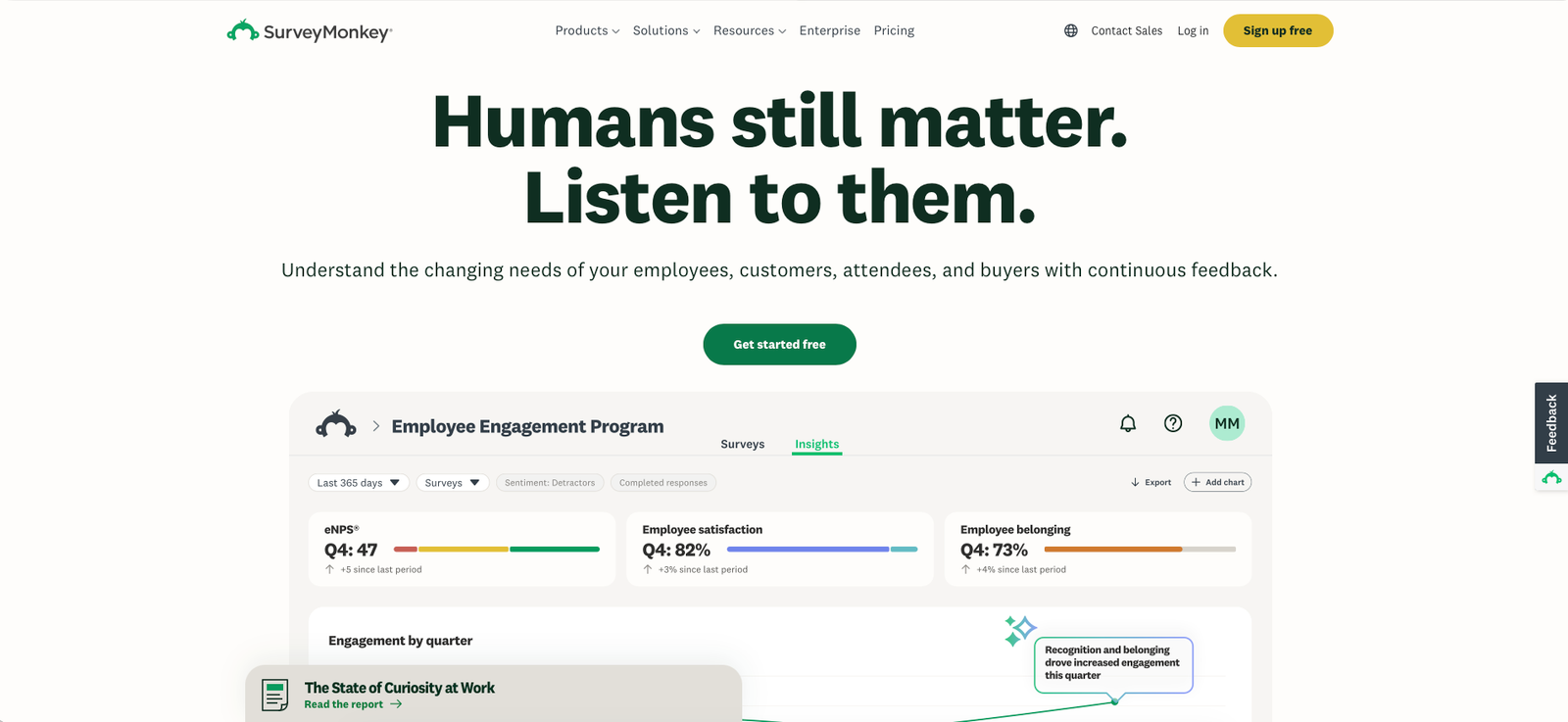
SurveyMonkey is an online survey and feedback platform for building questionnaires, collecting responses, analyzing results, and sharing insights. It covers use cases ranging from simple polls and event feedback to customer experience, employee research, market research, and structured business feedback programs.
Its advantage over a basic form builder is the depth around the survey itself: templates, question logic, branding, distribution options, integrations, exports, collaboration, AI-assisted creation, and increasingly capable analysis tools.
What it does well / Where it falls short
What it does well
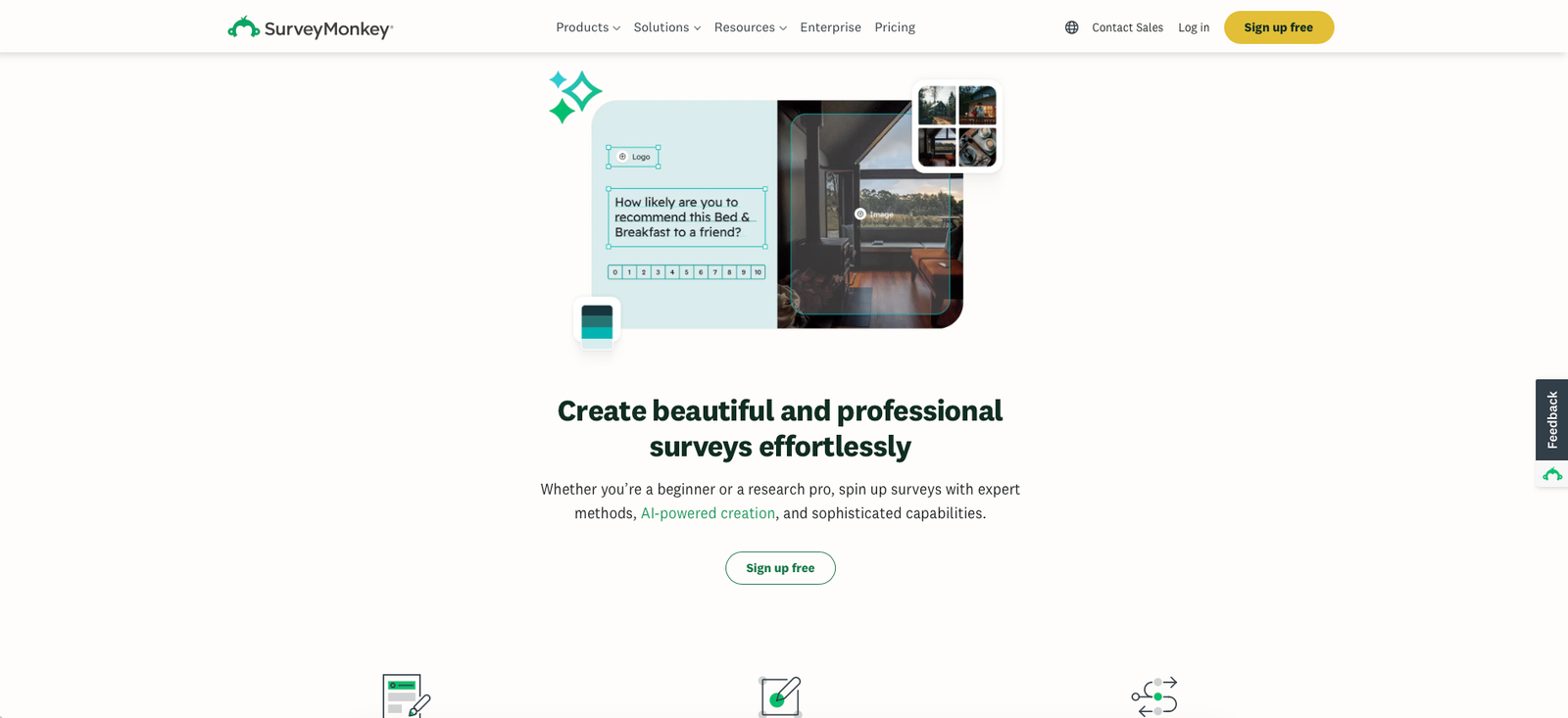
- Survey creation is approachable. SurveyMonkey combines a familiar editor with templates and AI-assisted creation, so a useful questionnaire can be built without specialist survey software experience.
- It scales well beyond simple forms. Paid plans add unlimited questions, custom design, skip logic, exports, email invitations, integrations, and more sophisticated analysis.
- The template library saves time. Established survey structures are useful when teams need customer satisfaction, employee engagement, event, research, or feedback surveys without designing every question from scratch.
- Distribution is flexible. Surveys can be shared through web links and other collectors, while paid plans provide more sophisticated distribution and integration options.
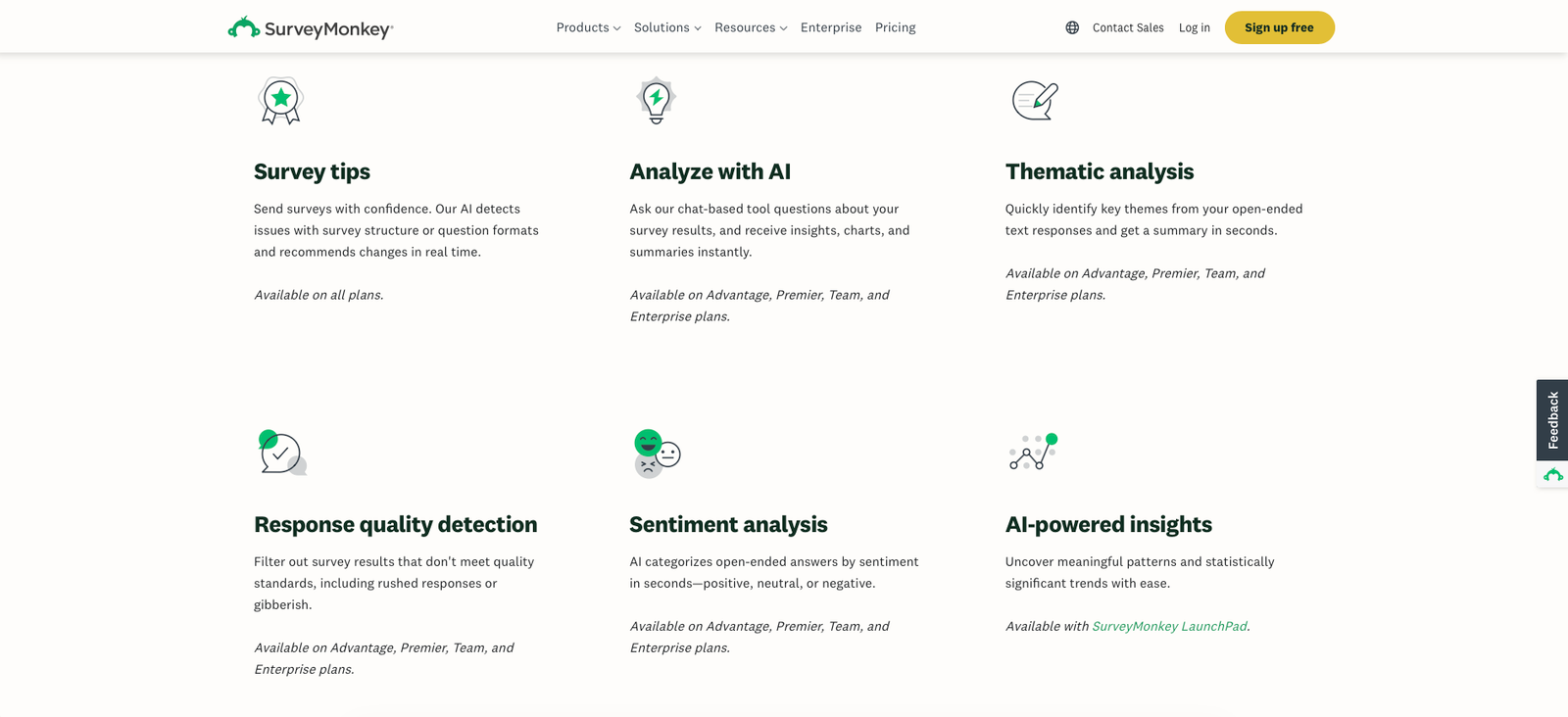
- Analysis has become a bigger part of the platform. Higher plans include features such as AI-assisted analysis, thematic analysis, statistical tools, and multi-survey analysis.
- It has substantial integration breadth. Standard Monthly advertises access to more than 200 integrations, making SurveyMonkey easier to fit into existing business workflows than many lightweight form builders.
Where it falls short
- The jump from free to paid is steep. Basic works for simple surveys, but users who specifically want monthly billing face a $129 Standard Monthly plan.
- The attractive monthly-equivalent prices often mean annual billing. Advantage Annual is displayed as $39 per month but requires a $468 annual payment, while Premier Annual is $139 per month equivalent and $1,668 billed annually.
- The free tier becomes restrictive quickly. Basic limits surveys to 10 questions and limits how many responses can be viewed without upgrading.
- Important capabilities sit behind paid plans. More advanced logic, exports, customization, and analysis may require an upgrade even when a survey itself can be created for free.
- Auto-renewal deserves attention. Paid plans renew automatically by default, so users who do not want another billing cycle need to disable auto-renew before renewal.
- Audience research is a separate cost consideration. SurveyMonkey can help source respondents, but research-panel spending can quickly exceed the cost of the survey software itself, especially for narrow target audiences.
When a paid plan is worth it
Stay on Basic when the survey is genuinely simple. If you only need a short questionnaire with no more than 10 questions and limited response viewing, there is little reason to pay immediately.
Standard Monthly makes sense for a short-term professional project. The $129 monthly price is expensive compared with the annual-plan equivalents, but it avoids committing to a year. That can be reasonable for a campaign, event, research sprint, or one-off customer survey requiring exports, logic, and branding.
Advantage Annual is the more logical individual plan for recurring use. At $468 billed annually, it costs far less over a full year than paying $129 every month and provides a stronger set of tools for ongoing feedback programs.
Premier is for users who will actually use advanced analysis. Paying $1,668 per year only makes sense if richer logic, higher limits, and deeper analysis are part of the workflow rather than features that simply look useful on the pricing page.
Team plans become relevant when collaboration and governance matter. Team Advantage and Team Premier add shared assets, roles, permissions, analysis features, and higher response limits, but require at least three seats and annual billing.
Our rating
How it compares
Google Forms is a useful contrast because it covers many basic survey and questionnaire needs at little or no incremental cost for people already using Google services. SurveyMonkey becomes more compelling when survey logic, branding, research workflows, analysis, integrations, and structured feedback programs matter enough to justify paying.
| Area | SurveyMonkey | Google Forms |
|---|---|---|
| Entry price | Basic plan available free | Available free for general use |
| Best fit | Structured surveys, feedback programs, research, and business use | Simple forms, quizzes, registrations, and lightweight surveys |
| Advanced survey logic | Broader capabilities across paid plans | More limited |
| Branding & customization | Stronger on paid tiers | Basic customization |
| Analysis | Built-in analysis, AI features, filtering, and advanced reporting depending on plan | Basic summaries with spreadsheet-based analysis available through Google Sheets |
| Integrations | 200+ integrations advertised on Standard Monthly | Strong fit inside Google Workspace |
How to actually use it
- Define the decision before writing questions. Decide what you will actually do differently after receiving the answers. This prevents unnecessary questions and improves completion rates.
- Start from a template or Build with AI. Use SurveyMonkey's existing structures as a draft, then rewrite questions around your specific audience rather than publishing a generic template unchanged.
- Keep the survey shorter than you think. Only ask questions that directly support the research objective. Longer surveys create more respondent fatigue and weaker open-ended answers.
- Add logic only where it improves relevance. Skip logic and branching are valuable when different respondents need different paths, but unnecessary complexity makes surveys harder to test and maintain.
- Preview the respondent experience. Test desktop and mobile layouts, required questions, logic paths, error states, and completion time before distributing the live survey.
- Analyze patterns before individual comments. Start with response distributions, filters, segments, and recurring themes, then use open-ended answers to explain why those patterns may exist.
Pros & cons
Pros
- Free Basic plan for simple surveys
- Mature and approachable survey builder
- Large template library
- Strong question logic and customization on paid plans
- AI-assisted survey creation and analysis
- 200+ integrations on Standard Monthly
- Strong analysis and reporting depth
- Team and enterprise options for larger organizations
Cons
- Standard Monthly costs $129 per month
- Lower monthly-equivalent prices require annual billing
- Free plan is limited to 10 questions per survey
- Response limits can trigger an upgrade or additional charges
- Advanced logic, exports, and customization are paid features
- Subscriptions auto-renew by default
- Refunds are generally not automatic after cancellation
- Can be overkill for straightforward forms and small surveys
Ready to build your survey?
Start with Basic if your needs are simple. If you need advanced logic, exports, branding, integrations, or deeper analysis, compare the annual cost carefully before choosing a paid tier.
Visit SurveyMonkeyFAQ
Is SurveyMonkey free?
Yes. SurveyMonkey has a Basic plan that costs nothing. It allows unlimited surveys but limits each survey to 10 questions and limits how many responses free users can view.
How much does SurveyMonkey cost?
Standard Monthly costs $129 per month. Advantage Annual is $39 per month equivalent with $468 billed annually, while Premier Annual is $139 per month equivalent with $1,668 billed annually.
Does SurveyMonkey bill monthly or annually?
Both structures exist. Standard Monthly is billed monthly, while Advantage Annual and Premier Annual require annual billing. Team Advantage and Team Premier are also billed annually.
Can I cancel SurveyMonkey?
Yes. You can turn off auto-renew so the plan will not renew at the next billing date. Paid access normally remains available until the end of the period you already paid for, and previous charges generally are not automatically refunded.
Is SurveyMonkey better than Google Forms?
SurveyMonkey is generally the stronger choice when you need sophisticated survey logic, branding, integrations, research workflows, or deeper analysis. Google Forms can be the better value when you only need straightforward forms or surveys.
Sources
- SurveyMonkey — official homepage — accessed 2026-08-01
- SurveyMonkey — official pricing — accessed 2026-08-01
- SurveyMonkey — individual plan details — accessed 2026-08-01
- SurveyMonkey — team pricing — accessed 2026-08-01
- SurveyMonkey — cancellation and refunds — accessed 2026-08-01
- Software Advice — SurveyMonkey reviews — accessed 2026-08-01
- Capterra — SurveyMonkey reviews — accessed 2026-08-01
- Reddit r/UXResearch — SurveyMonkey discussion — accessed 2026-08-01