

Crazy Egg Review: Is It Worth Paying for Website Behavior Insights?
Best for
- Marketers and site owners who want visual evidence of where visitors click, scroll, and hesitate
- CRO teams that want heatmaps, recordings, and experimentation inside one platform
- Agencies managing multiple websites and team members under the same account
- Teams that prefer practical visual reports over building complex behavioral analytics dashboards
Who should skip it
- High-traffic sites that would quickly exceed Starter's tracking and recording allowances
- Teams buying primarily for A/B testing but expecting it in the cheapest paid plan
- Businesses that want true month-to-month billing at the displayed monthly headline price
- Analysts who primarily need deep quantitative product analytics rather than visual website behavior data
Quick facts
Pricing, verified
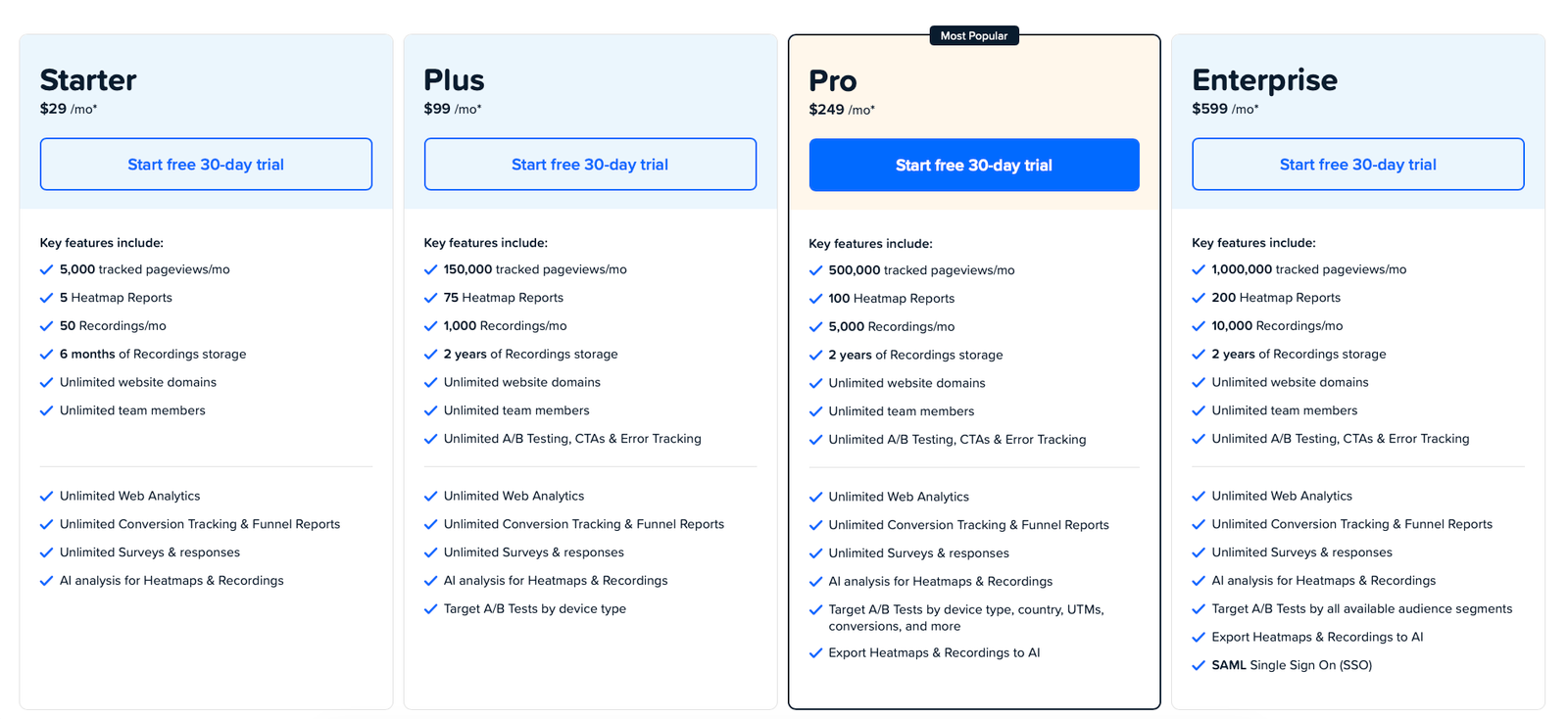
Crazy Egg's paid plans start at $29 per month on the pricing page used for this review. The displayed monthly figures correspond to plans billed annually, so the headline price should not be interpreted as a simple month-to-month commitment.
Starter
- 5,000 tracked pageviews per month
- 5 Heatmap Reports
- 50 Recordings per month
- Best suited to small sites or focused CRO projects
Plus
- 150,000 tracked pageviews per month
- 75 Heatmap Reports
- 1,000 Recordings per month
- Unlimited A/B testing, CTAs, and Error Tracking
Pro
- 500,000 tracked pageviews per month
- 100 Heatmap Reports
- 5,000 Recordings per month
- Better fit for established optimization teams
Enterprise
- 1,000,000 tracked pageviews per month
- 200 Heatmap Reports
- 10,000 Recordings per month
- Advanced targeting and SAML SSO
What Crazy Egg does
Crazy Egg is a website behavior and conversion-optimization platform built around visual analytics. Its core tools help teams understand where visitors click, how far they scroll, which page elements attract attention, and what individual users do during real browsing sessions.
Heatmaps turn aggregate behavior into visual reports, while Session Recordings add context at the individual-visitor level. Higher paid tiers extend the workflow into A/B testing and additional conversion tools, so teams can move from identifying a problem to testing a potential fix without leaving the platform.
What it does well / Where it falls short
What it does well
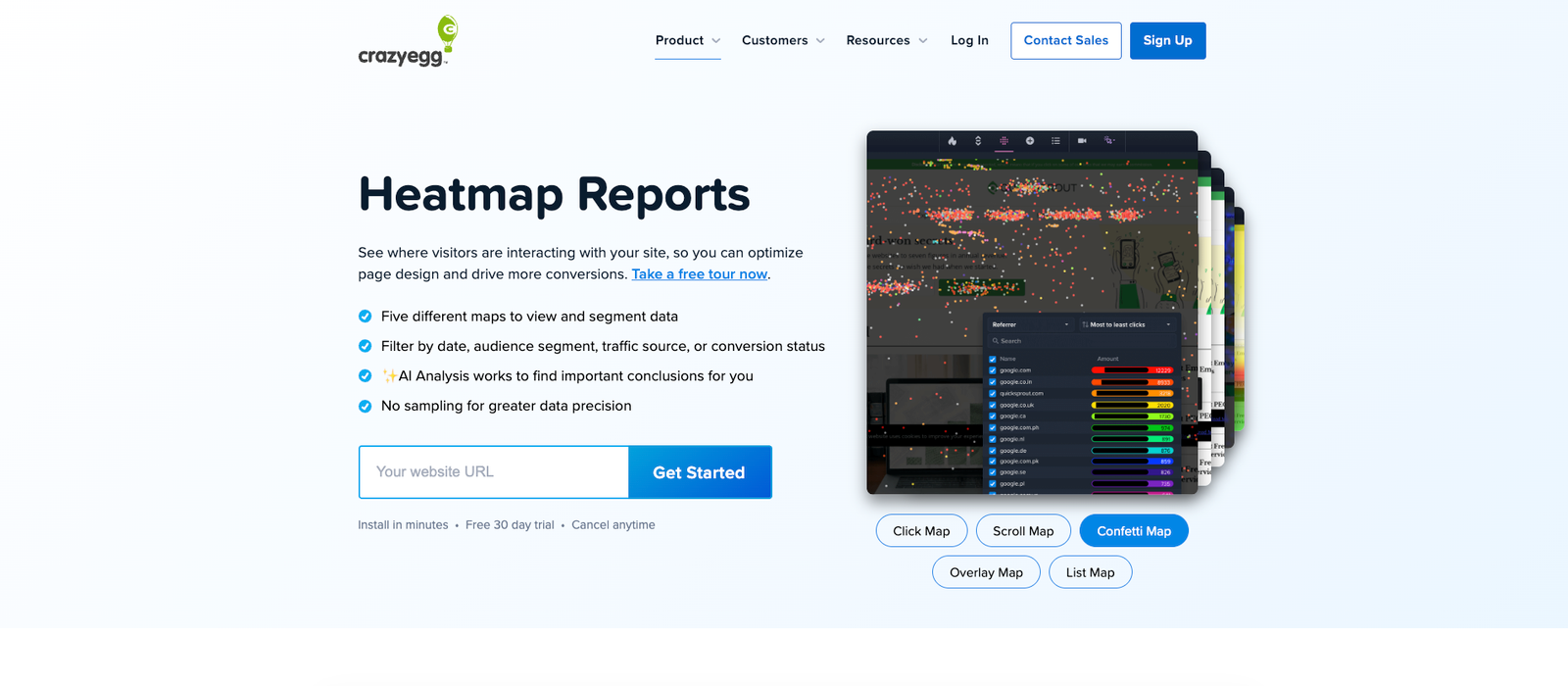
- Behavior data is easy to understand. Heatmaps, Scrollmaps, Confetti Maps, Overlay Maps, and List Reports give marketers a visual way to inspect engagement without building custom reports.
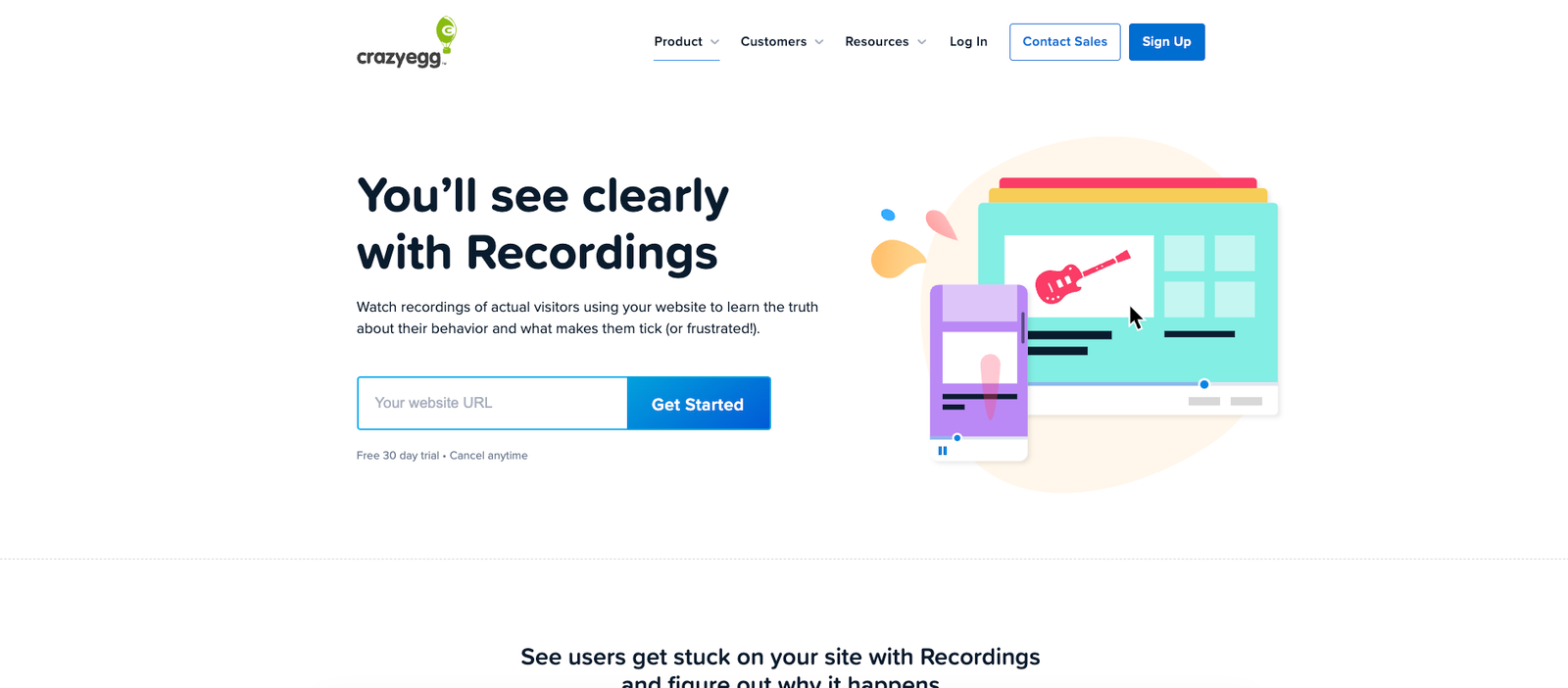
- Recordings explain the story behind aggregate patterns. Teams can inspect individual browsing sessions instead of guessing why a heatmap looks the way it does.
- The workflow connects insight to experimentation. Plus and higher tiers include A/B testing, making it easier to test a change after identifying a behavioral problem.
- Unlimited domains are useful for agencies. Paid plans can cover multiple sites without forcing each domain into a separate subscription structure.
- Unlimited team members reduce collaboration friction. Marketing, design, CRO, and client-facing teams can work from the same account.
Where it falls short
- Starter's limits are restrictive. Five Heatmap Reports and 50 Recordings per month can disappear quickly if you want to monitor several important pages.
- A/B testing does not start at the entry paid tier. Teams buying Crazy Egg mainly for experimentation need to move up to Plus.
- The monthly headline price can be misleading at first glance. The paid prices are expressed per month while the plans are billed annually.
- Hitting a usage limit stops data collection. Crazy Egg avoids surprise overage fees, but the trade-off is paused tracking once monthly capacity is exhausted.
- Visual evidence still requires good interpretation. A bright heatmap area or a frustrated session does not automatically prove what should be changed.
- Low-traffic pages need patience. Teams can easily overreact to thin samples if they begin changing pages before enough behavior has been collected.
What people say
What people praise
- Heatmaps are straightforward to understand and communicate to non-technical stakeholders
- The interface is generally easier to use than more complex analytics stacks
- Visual behavior data helps teams identify page-design and conversion opportunities quickly
- Session recordings provide useful context behind aggregate behavior
- The combination of analytics and testing can reduce the need for several disconnected tools
What people complain about
- Recording and reporting allowances can feel restrictive as traffic grows
- Some teams eventually need deeper analysis than Crazy Egg's visual-first workflow provides
- The value becomes less compelling if only a small portion of the platform's CRO toolkit is actually used
- Behavior reports still require enough traffic before conclusions become reliable
- Moving into heavier optimization workloads can require a significant jump in plan cost
When the paid plan is worth it
Choose Starter if: you have a small site or a narrow optimization project and mainly want a few Heatmap Reports plus occasional Session Recordings. The low headline price is attractive, but the limits make this more suitable for focused analysis than continuous monitoring.
Choose Plus if: CRO is an active part of your marketing workflow. The jump to 150,000 tracked pageviews, 75 Heatmap Reports, 1,000 Recordings, and unlimited A/B testing makes Plus the first tier that feels designed for ongoing optimization rather than occasional investigation.
Choose Pro if: you operate a higher-traffic site or manage enough campaigns that 1,000 monthly recordings no longer provide enough coverage. The substantially larger tracking and recording allowances are the main reason to step up.
Choose Enterprise if: your traffic volume, security requirements, or audience-targeting needs justify the premium. The plan is aimed at organizations that need substantially more monthly data capacity rather than small incremental feature upgrades.
The real question is how often behavior insight changes a decision. If Crazy Egg helps uncover conversion friction on high-value landing pages, pricing pages, signup flows, or ecommerce pages, a paid plan can pay for itself quickly. If the reports are merely interesting and rarely lead to experiments or page changes, even the Starter plan can become unnecessary software spend.
Our rating
How it compares
Crazy Egg is best understood as a practical website-behavior and conversion-optimization toolkit rather than a full product-analytics platform. Its appeal is the speed with which marketers can move from a visual signal to a concrete page hypothesis without building a complicated analytics setup.
How to actually use it
- Install Crazy Egg on the site. Add the tracking script directly or through a supported deployment method such as Google Tag Manager or WordPress.
- Start with a high-value URL. Prioritize landing pages, pricing pages, signup pages, checkout flows, or other pages where user behavior directly affects revenue or leads.
- Collect enough Heatmap data. Use click, scroll, confetti, overlay, and list views to spot patterns rather than reacting to one visitor.
- Open Session Recordings for context. Inspect real journeys connected to the behavior you saw in the aggregate report.
- Turn the observation into a hypothesis. Define exactly what may be causing friction and what change could improve the outcome.
- Test the change when your plan supports it. Use A/B testing to compare the proposed variation against the original instead of relying on opinion.
Pros & cons
Pros
- Easy-to-understand visual behavior reports
- Heatmaps and Session Recordings complement each other well
- A/B testing available on Plus and higher tiers
- Unlimited domains on paid plans
- Unlimited team members on paid plans
- No overage charges
- Free tier available for selected analytics features
Cons
- Starter includes only 5 Heatmap Reports
- Starter includes only 50 Recordings per month
- A/B testing is not included on Starter
- Displayed paid plans are billed annually
- Tracking pauses when monthly allowances are exhausted
- Visual signals still require careful interpretation
Ready to try it?
Crazy Egg makes the most sense when you want a fast, visual way to understand how visitors behave and you intend to turn those observations into actual page changes or experiments.
Visit Crazy EggFAQ
What is Crazy Egg used for?
Crazy Egg is used to analyze website visitor behavior through tools such as heatmaps and Session Recordings, identify conversion friction, and test page changes through its optimization features.
How much does Crazy Egg cost?
The pricing reviewed here lists Starter at $29 per month, Plus at $99 per month, Pro at $249 per month, and Enterprise at $599 per month. The displayed paid plans are billed annually.
Does Crazy Egg have a free plan?
Yes. Crazy Egg lists free access to selected analytics features, while the paid tiers increase tracking capacity and add broader optimization capabilities.
Does Crazy Egg include A/B testing?
Yes. The pricing information used for this review lists unlimited A/B testing beginning with the Plus plan rather than the Starter tier.
Is Crazy Egg worth it?
It is most useful when your team actively uses visitor behavior data to improve high-value pages and run conversion experiments. It is less compelling if you only look at heatmaps occasionally without acting on the findings.
Sources
- Crazy Egg — official homepage — accessed 2026-07-28
- Crazy Egg — official pricing — accessed 2026-07-28
- Crazy Egg — Heatmaps — accessed 2026-07-28
- Crazy Egg — Session Recordings — accessed 2026-07-28
- G2 — Crazy Egg reviews — accessed 2026-07-28
- Capterra — Crazy Egg reviews — accessed 2026-07-28
- TrustRadius — Crazy Egg reviews — accessed 2026-07-28
- Tamer Marketing — Crazy Egg review — accessed 2026-07-28