
Softr Review: Is It Worth It for Building Business Apps?
Best for
- Non-technical teams building internal tools, client portals, CRMs, inventory systems, dashboards, or lightweight ERPs
- Businesses that want the app interface, database, permissions, and workflow automation in one platform
- Airtable, Google Sheets, Notion, HubSpot, SQL, and other data users who want to turn operational data into a usable app
- Agencies and operations teams that need secure apps for both internal employees and external clients
Who should skip it
- Developers who want complete ownership and export of a conventional application codebase
- Consumer-app builders who need fully native iOS or Android apps distributed as traditional app-store binaries
- Projects requiring highly specialized interfaces that cannot be achieved with Softr's blocks, Vibe Coding, or custom code options
- Large deployments that exceed plan limits without enough value to justify Business or Enterprise pricing
Quick facts
Pricing, verified
Softr has a genuinely useful free tier, then scales through Basic, Pro, Business, and Enterprise plans. The lowest advertised monthly equivalents are based on annual billing, so buyers should compare the feature and usage limits rather than looking only at the headline monthly number.
Free
- Unlimited apps
- Softr Databases included
- Softr Workflows included
- Up to 5 app users
- 5 AI credits
- 5,000 database records
- 500 workflow actions
Basic
- Annual billing equivalent
- Unlimited apps
- 5 team + 5 client app users
- 10 AI credits
- 50,000 database records
- 2,500 workflow actions
- 42+ integrations
Pro
- Annual billing equivalent
- 10 team + 50 client users
- 50 AI credits
- 500,000 database records
- 10,000 workflow actions
- Custom code
- Granular user permissions
Business
- Annual billing equivalent
- 30 team + 100 client users
- 100 AI credits
- 1 million database records
- 25,000 workflow actions
- More advanced data sources and controls
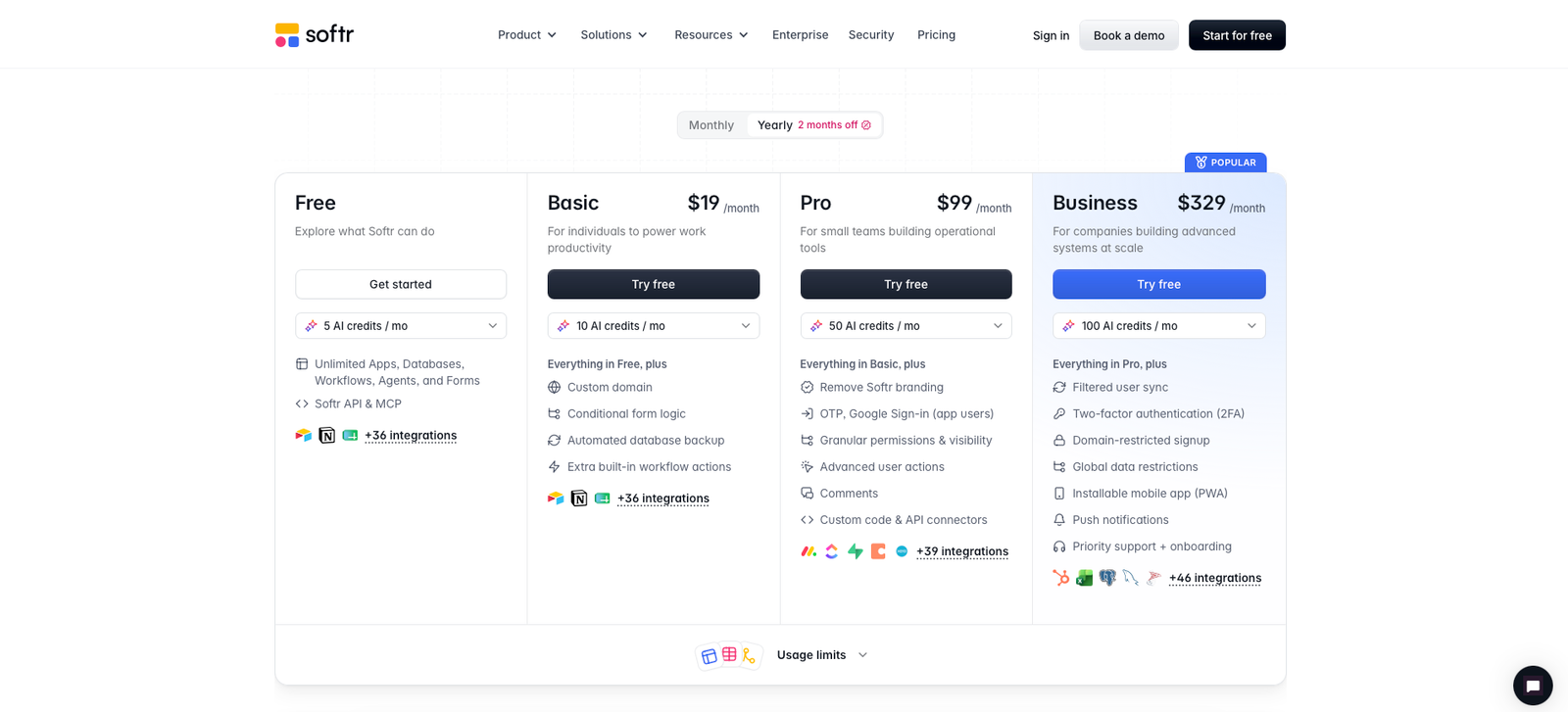
Enterprise pricing is customized. The main practical difference between the self-service tiers is not the number of apps you can create, but capacity and governance: users, database records, workflow executions, AI credits, integrations, custom code, permissions, and enterprise security features.
What Softr does
Softr is a no-code and AI-assisted platform for building business applications such as internal tools, client portals, CRMs, inventory systems, dashboards, intranets, project trackers, knowledge bases, and lightweight operational systems.
What makes the current Softr product more interesting than a simple visual website builder is that the stack now extends from the interface into data and automation. Teams can build on Softr's relational databases or connect existing data sources, then add permissions, forms, workflows, AI actions, and external integrations without stitching together a separate tool for every layer.
What it does well / Where it falls short
What it does well
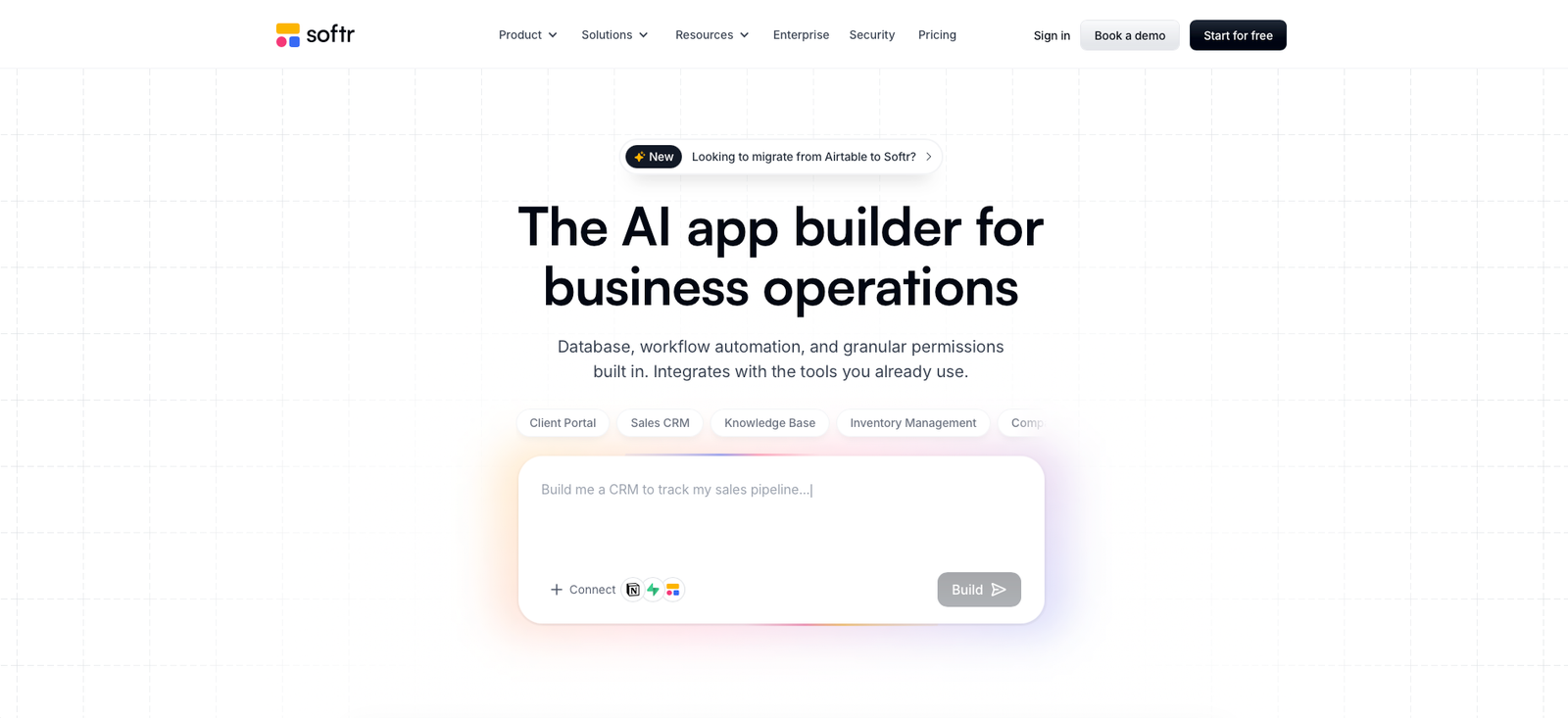
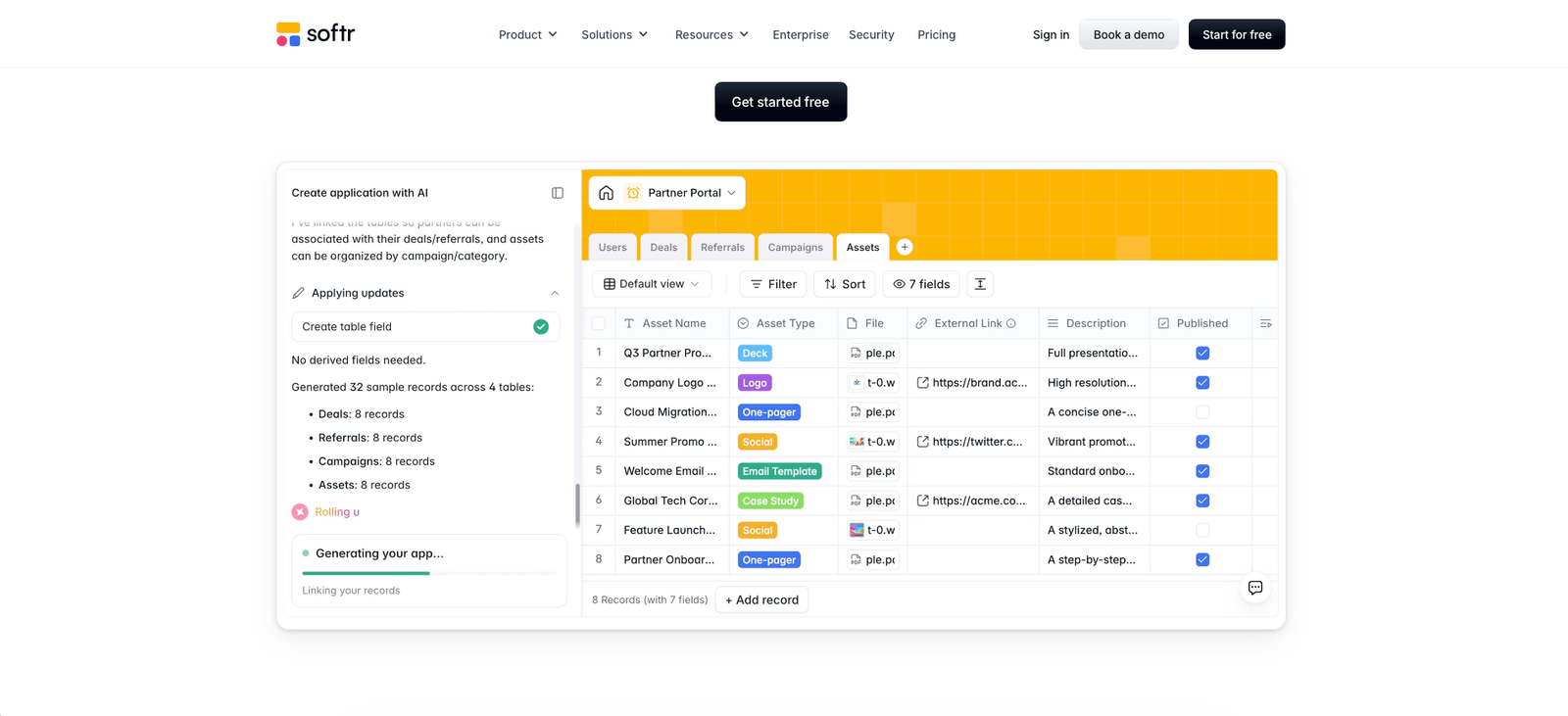
- It generates more than a front-end mockup. Softr's AI Co-Builder can create the app structure, pages, database, navigation, user groups, and permissions from a plain-language description, after which everything remains editable visually.
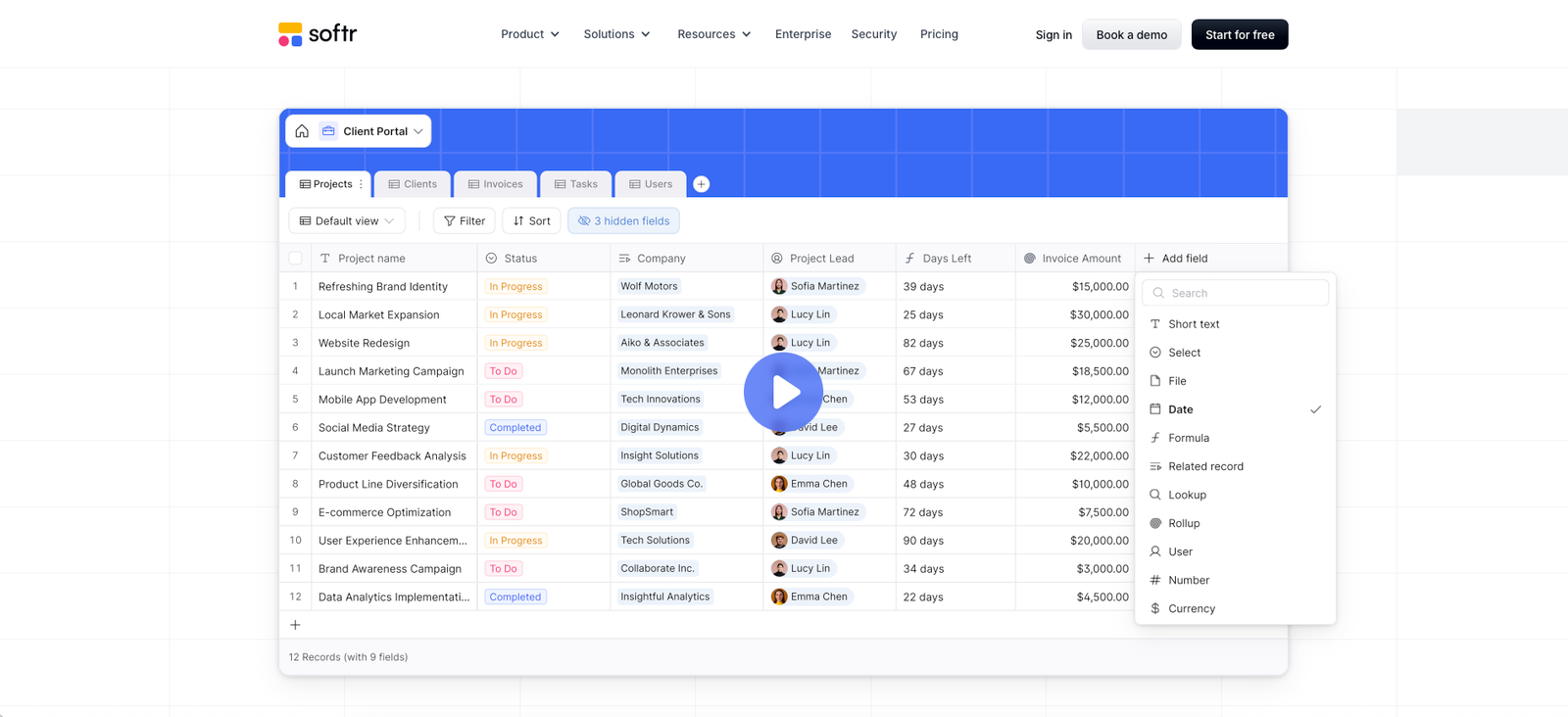
- Native databases make the platform much more self-contained. Softr Databases support linked records, relationships, rollups, lookups, formulas, attachments, custom views, filters, and multiple field types.
- You are not forced to move existing data into Softr. Apps can connect to external business data such as Airtable, Google Sheets, Notion, HubSpot, SQL databases, and other supported sources.
- Permissions are built for real business apps. Softr supports authentication and access controls that help teams expose different pages, blocks, records, and data to employees, clients, vendors, or partners.
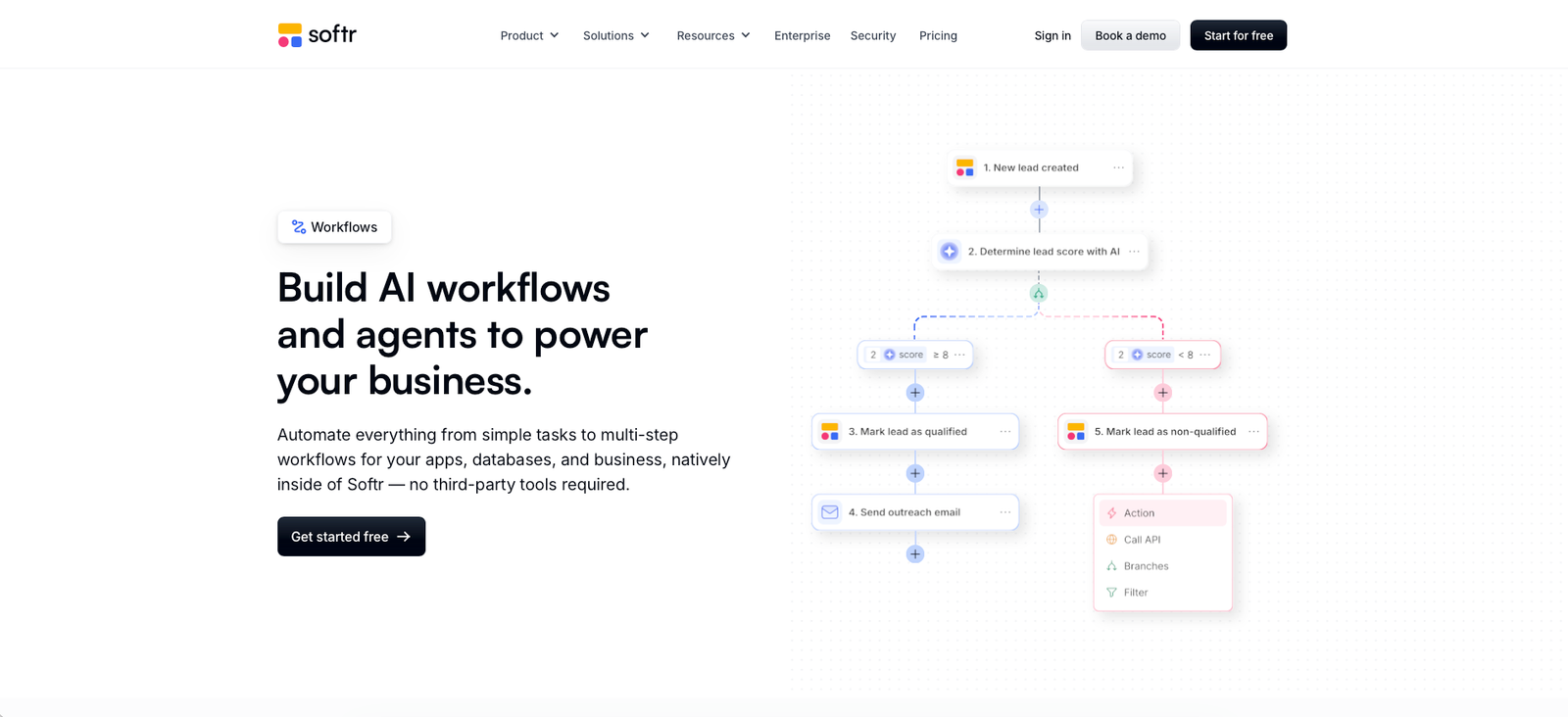
- Workflows are now native. Automations can react to database changes, app actions, webhooks, schedules, emails, and external services without requiring every workflow to live in Zapier or Make.
- The free plan is useful for validating an idea. You can publish apps and experiment with databases, workflows, forms, and AI before committing to a paid workspace.
Where it falls short
- You are building on Softr's platform, not exporting a conventional codebase. That is convenient for maintenance, but a poor fit if full source-code ownership is a hard requirement.
- Usage limits matter once an app succeeds. User counts, database records, workflow actions, AI credits, and certain capabilities increase by plan, so a fast-growing internal or client-facing app may eventually require a meaningful upgrade.
- Basic is intentionally limited. Teams needing serious permission controls, custom code, larger external audiences, or higher operational limits may find that Pro is the realistic starting tier.
- Highly custom interfaces still require more work. Blocks and templates are efficient, and Vibe Coding expands flexibility, but Softr is not the same thing as handing a developer a blank framework.
- Business is a large pricing jump. Moving from $99 per month equivalent on Pro to $329 per month equivalent on Business makes sense only when the higher limits, users, data sources, or governance features solve a real operational need.
- The expanding feature set creates more setup decisions. Choosing the database structure, data source, user groups, permissions, workflows, and limits deserves planning before building a large app.
Database and workflow depth matters more than the AI headline
Softr's AI positioning can make the product sound like another prompt-to-app generator, but its more durable value is the combination of interface, data, permissions, and automation. A generated prototype is useful; an operational app that employees or clients can safely use every day is the harder problem.
Softr Databases can act as that backend directly. Related tables can be connected through relational fields, while formulas, lookups, rollups, views, filters, and attachments cover many common operational database requirements.
Workflows then provide the automation layer. A workflow can start when a record changes, when an app user submits a form or presses a button, from a webhook, on a schedule, or through supported external triggers. Conditions, filters, branches, loops, wait steps, API calls, custom code, and AI actions allow much more than a simple “when this happens, send an email” automation.
When a paid plan is worth it
Stay on Free while validating the workflow. The Free plan is useful for proving that Softr can actually replace a spreadsheet, manual process, or scattered set of tools. Build the core database, create the interface, invite a small number of users, and test at least one automation before paying.
Basic is attractive for a small operational app. At $19 per month equivalent on annual billing, it is a low-cost way to get higher database and workflow capacity, a custom domain, additional integrations, and more room than the Free tier.
Pro is the important upgrade for serious client and internal apps. At $99 per month equivalent, Pro adds much more capacity alongside custom code and stronger permission capabilities. For agencies, client portals, member areas, or operational systems with dozens of users, this is often the tier where Softr starts replacing several separate tools rather than merely replacing a form or spreadsheet.
Business only makes sense when scale or governance demands it. The $329 monthly equivalent is a substantial step up, but so are the user, record, workflow, integration, and administrative limits. Teams should upgrade because they can identify the specific Business constraint they are hitting, not simply because the app has become important.
Our rating
How it compares
Glide is one of the most relevant alternatives because both platforms target teams that want to turn business data into usable applications without building everything from code. Softr's own comparison positions Glide as more mobile-first and Softr as the broader full-stack option for portals, operational tools, databases, permissions, and multi-role business apps.
| Area | Softr | Glide |
|---|---|---|
| Primary fit | Internal tools, client portals, CRMs, dashboards, operational systems | Fast, polished mobile-first and internal business apps |
| AI app creation | AI Co-Builder generates app structure, database, navigation, and permissions | AI-assisted building and workflow capabilities available |
| Native database | Relational Softr Databases plus external data sources | Glide Tables plus supported external data sources |
| Permissions | Designed for multi-role internal and external business apps, with deeper controls on higher plans | Role and access controls available, with plan-dependent limits |
| Automation | Native visual Workflows with triggers, branches, conditions, APIs, webhooks, schedules, and AI | Native Glide Workflows and automation tools |
| Mobile focus | Responsive web apps and PWA support | Particularly strong mobile-first experience |
| Best reason to choose | Broader full-stack business-app workflow with database, interfaces, permissions, and automation together | Rapid mobile-first app development with a polished end-user experience |
How to actually use it
- Start with the business process, not the app layout. Write down the records you manage, who uses them, what each person should see, and what actions currently happen manually.
- Use AI Co-Builder to create the first structure. Describe the app in operational terms such as “client portal for an agency with projects, invoices, files, tasks, and client-only access” rather than giving only visual instructions.
- Choose the right data layer before polishing the design. Use Softr Databases when you want an integrated relational backend, or connect an existing source when the business already depends on Airtable, Sheets, Notion, HubSpot, SQL, or another supported system.
- Define permissions before inviting real users. Test what administrators, employees, clients, vendors, or members can view and edit. A beautiful portal with weak access rules is not production-ready.
- Automate one repetitive process. Start with something measurable such as assigning a new request, sending an approval notification, generating a summary, updating a record, or syncing information to another tool.
- Test against plan limits before launch. Estimate app users, database records, workflow actions, AI credits, integrations, and future client growth so the first successful month does not immediately force an unexpected upgrade.
Pros & cons
Pros
- Useful free plan with publishable apps
- AI Co-Builder can generate complete business-app foundations
- Native relational databases
- Native visual workflow automation
- Connects to existing external business data
- Strong permissions for internal and client-facing use cases
- Unlimited apps across current self-service plans
- Custom code available on Pro
- Good fit for portals, CRMs, dashboards, intranets, and internal tools
Cons
- No full application source-code export
- Usage limits become important as apps scale
- Many serious production use cases will need Pro rather than Basic
- Large price jump from Pro to Business
- Highly specialized UI can require custom work
- Complex databases and permissions still require careful architecture
- AI credits and workflow actions introduce additional capacity planning
- Platform dependence may not suit teams that require full infrastructure ownership
Ready to build your first app?
Softr's Free plan is strong enough to validate the core workflow before paying. Build one real app, connect real data, invite a small test group, and confirm that the database, permissions, and automation model fit your operation before choosing a paid tier.
Visit SoftrFAQ
Is Softr free?
Yes. Softr has a Free plan that includes unlimited apps plus access to Softr Databases and Workflows. The free tier has lower limits for app users, database records, workflow actions, and AI credits.
How much does Softr cost?
At the annual-billing rates verified for this review, Basic is $19 per month equivalent, Pro is $99 per month equivalent, and Business is $329 per month equivalent. Enterprise pricing is customized.
Can Softr build a real business app?
Yes. Softr supports databases, authentication, user permissions, forms, integrations, workflow automation, external and internal users, custom domains, and production business use cases such as portals, internal tools, CRMs, inventory systems, and dashboards.
Can I use Softr without Airtable?
Yes. Softr now has its own native relational database system, so Airtable is optional. You can also connect other supported external data sources depending on your plan and workflow.
Can I cancel Softr?
Yes. Softr provides a Cancel Subscription option in billing settings. Its help documentation also describes limited refund windows for the first payment of monthly and annual subscriptions, subject to the applicable refund policy.
Sources
- Softr — official homepage — accessed 2026-08-02
- Softr — official pricing — accessed 2026-08-02
- Softr — AI App Builder — accessed 2026-08-02
- Softr — Databases — accessed 2026-08-02
- Softr — Workflows — accessed 2026-08-02
- Softr Help Docs — Billing — accessed 2026-08-02
- Softr Help Docs — trial, cancellation and refund information — accessed 2026-08-02
- Softr — Softr vs Glide — accessed 2026-08-02
- Reddit r/nocode — Softr MVP discussion — accessed 2026-08-02
- Stackby — Softr review — accessed 2026-08-02
- Capterra — Softr profile — accessed 2026-08-02
- Product Hunt — Softr reviews — accessed 2026-08-02