

Wispr Flow Review
Wispr Flow turns natural speech into polished writing across the apps you already use. Its appeal is simple: speak at the speed of thought, let AI remove the filler and corrections, and keep working without switching into a separate writing tool.
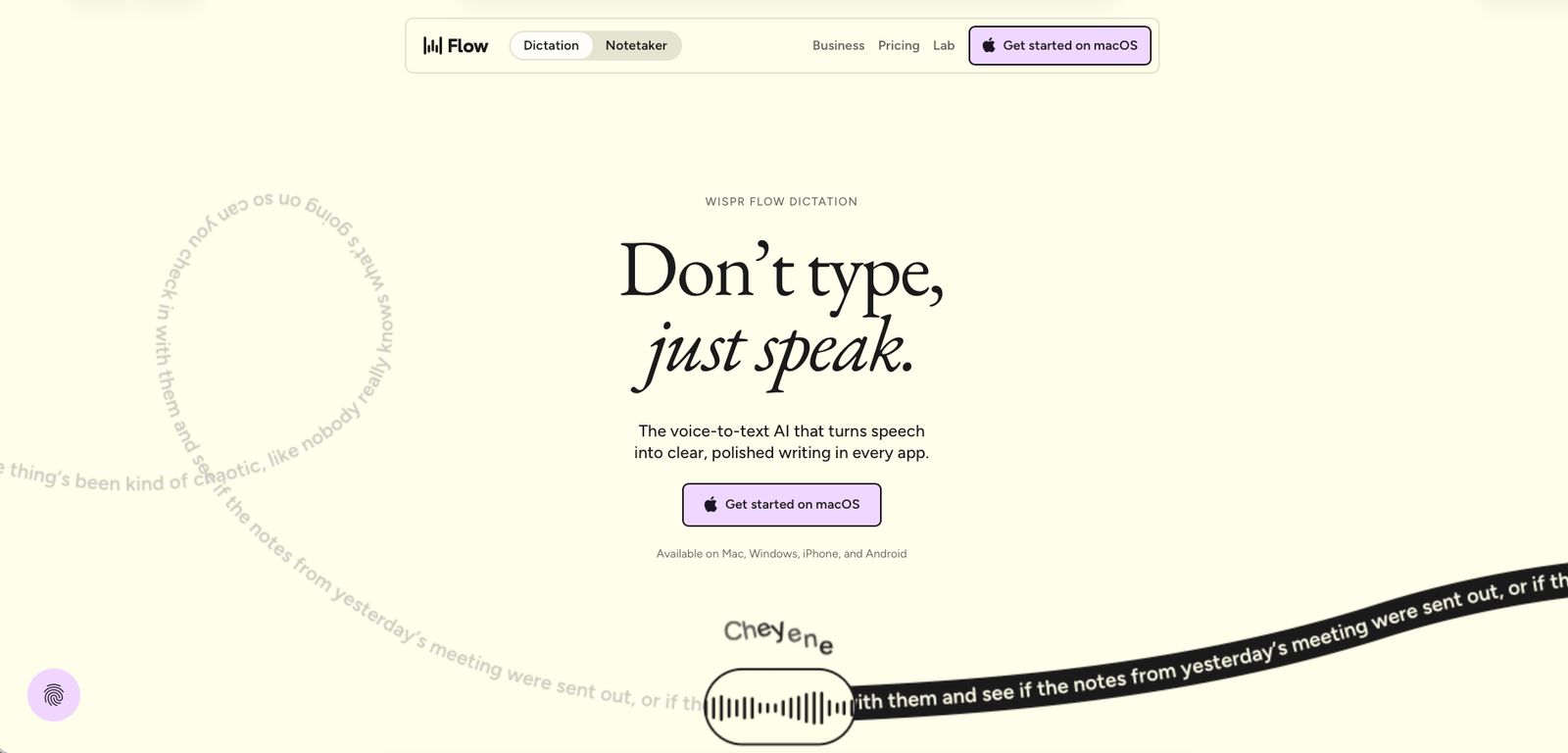
Wispr Flow homepage, July 2026.
Best for
People who write frequently and can comfortably explain their thoughts out loud: emails, documents, messages, prompts, notes, and everyday computer work.
Who should skip it
People who rarely dictate, dislike speaking to their computer, or work with highly sensitive material without first reviewing the product's data and context controls.
Pricing, verified
Wispr Flow has a free plan, a Pro plan for individuals and teams, and a Growth/Enterprise tier for organizations with more advanced administration and security requirements. The official pricing page lists Pro at $12 per user per month and Growth/Enterprise from $18 per user per month. :contentReference[oaicite:1]{index=1}
| Plan | Starting price | Best for | Key limits / features |
|---|---|---|---|
| Free | $0/mo | Trying Flow and light dictation | 2,000 words/week on desktop, 1,000/week on iPhone, unlimited on Android; Notetaker included with weekly meeting limits. |
| Pro | $12/user/mo | Individuals and teams using dictation daily | Unlimited dictations, more meetings kept for longer, advanced AI models, early feature access, prioritized support, centralized billing and usage analytics. |
| Growth / Enterprise | From $18/user/mo | Teams with advanced security and administration needs | SSO/SAML, provisioning, organization-wide HIPAA enforcement, deployment controls, audit logs, network controls and dedicated customer success. |
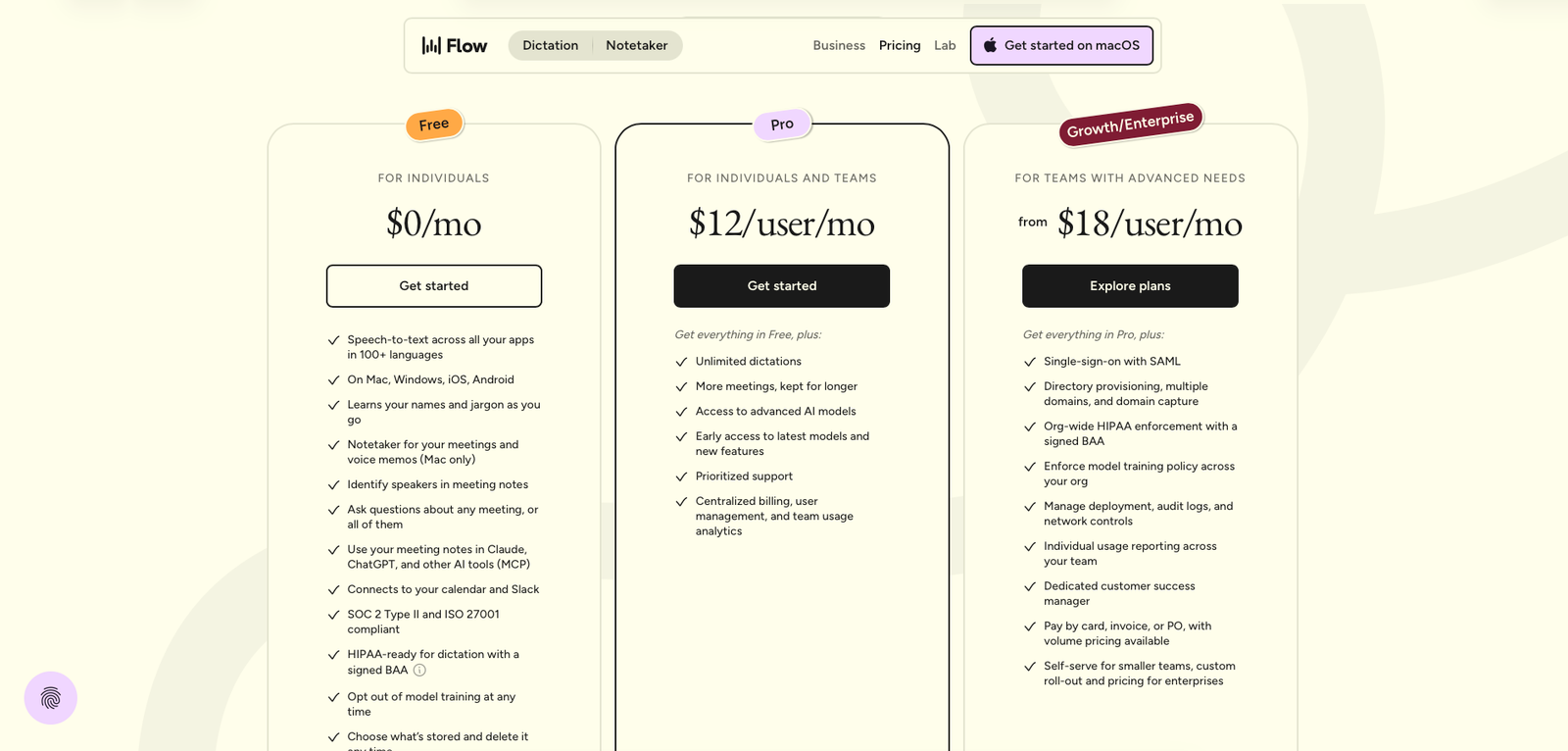
Wispr Flow pricing, July 2026. Prices change — always check the live page.
The official pricing page states that subscriptions can be managed from Plan & Billing and cancelled at any time. :contentReference[oaicite:2]{index=2}
What Wispr Flow does
Wispr Flow is an AI voice-to-text tool designed to work wherever you can type. Instead of dictating a word-for-word transcript and cleaning it up afterwards, Flow is designed to interpret what you mean, remove filler words, handle corrections, add punctuation and format the result while you speak. :contentReference[oaicite:3]{index=3}
The product supports Mac, Windows, iPhone and Android for dictation, and Wispr says it supports more than 100 languages. It also includes vocabulary learning, snippets and different writing styles for different contexts. :contentReference[oaicite:4]{index=4}
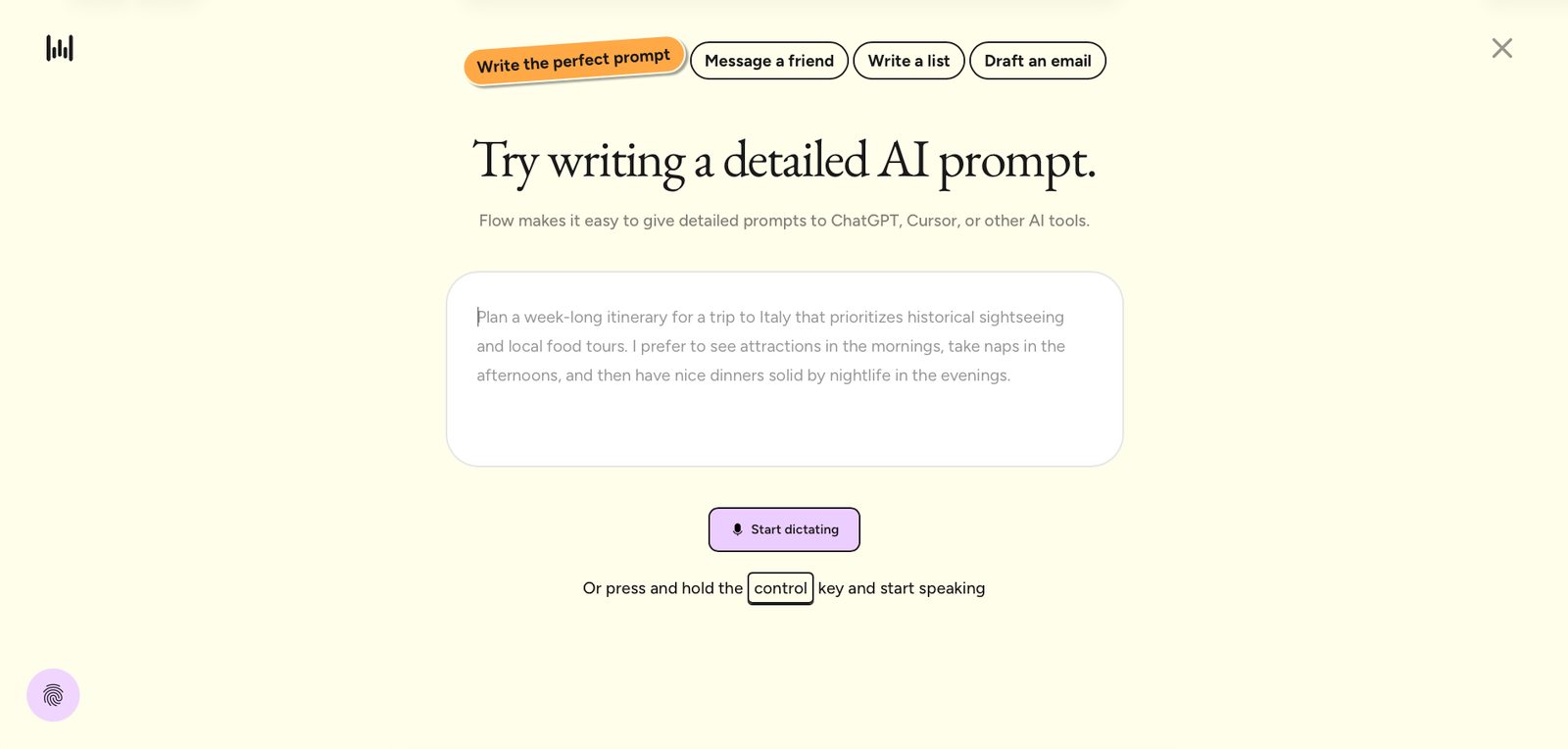
Wispr Flow dictation and AI editing demo, July 2026.
What it does well
It works where you already work
The strongest part of the product is its cross-app workflow. Wispr Flow is designed to type wherever your cursor is, including email, Slack, Notion, messaging apps, terminals, code editors and AI tools. :contentReference[oaicite:5]{index=5}
It edits speech instead of merely transcribing it
Flow is built around the gap between how people speak and how they write. It can remove filler, handle repetitions and mid-sentence corrections, then turn the result into cleaner prose. :contentReference[oaicite:6]{index=6}
Useful personalization
Personal vocabulary, snippets and style controls make the product more useful for recurring work. That matters when you frequently dictate names, terminology, links, email language or other phrases that standard dictation often gets wrong.
Good fit for high-volume writing
Third-party users commonly highlight speed, ease of setup and the productivity benefit of replacing typing with speech. G2's review summary also points to time savings, ease of use and accuracy as recurring positives. :contentReference[oaicite:7]{index=7}
Where it falls short
Accuracy is strong, not perfect
User feedback is positive overall, but some reviewers report occasional missed words, overly aggressive punctuation or small recognition errors. That means important messages and professional copy still deserve a quick read before sending. :contentReference[oaicite:8]{index=8}
Mobile can lag behind the desktop experience
Product Hunt feedback highlights strong desktop performance while pointing to areas where mobile scenario-awareness and longer-form output could improve. :contentReference[oaicite:9]{index=9}
Privacy deserves a closer look
Wispr Flow has faced criticism around privacy and transparency, particularly concerning context awareness, permissions and data handling in earlier versions. Those concerns should not be ignored simply because the current product has added stronger controls and security certifications. :contentReference[oaicite:10]{index=10}
There is a learning curve to speaking naturally
The product removes much of the friction from typing, but it does not remove the need to develop a comfortable voice workflow. People who prefer composing silently or who work in environments where speaking is impractical may not get enough value from it.
The practical takeaway: Wispr Flow is easiest to recommend when speed of composition is more important than perfect first-pass accuracy.
What people say
G2 lists Wispr Flow at 4.6/5 from 13 reviews in the referenced review set. Positive feedback commonly focuses on speed, ease of use, reduced typing and automatic cleanup; criticisms include occasional recognition or punctuation errors and some integration friction. :contentReference[oaicite:11]{index=11}
What people praise
- Fast voice-to-text workflow
- Easy initial setup
- Automatic punctuation and cleanup
- Works across many applications
- Noticeable productivity gains for frequent writers
What people complain about
- Occasional missed words or incorrect formatting
- Mobile experience can trail desktop
- Some integration and context-awareness friction
- Past privacy controversy remains a trust consideration
When the paid plan is worth it
Free
The Free plan is enough to test whether speaking genuinely improves your workflow. With weekly word limits, it is best treated as an evaluation tier or a light-use option.
Pro
Pro becomes much easier to justify if you dictate every day. Unlimited dictation, additional meeting capacity, advanced AI models and priority support remove the main constraints of the free plan. :contentReference[oaicite:12]{index=12}
Growth / Enterprise
The higher tier is aimed at teams that need administration, SSO/SAML, security enforcement, deployment controls and dedicated customer success rather than simply more dictation volume. :contentReference[oaicite:13]{index=13}
Fine print
Wispr Flow states that there are no commitments and subscriptions can be cancelled through Plan & Billing. The official pricing page should still be checked before purchasing because plan details and limits can change. :contentReference[oaicite:14]{index=14}
Our rating
A useful free tier lowers the barrier to testing, while Pro provides unlimited dictation for people who will use it regularly.
Universal dictation, AI cleanup, commands, vocabulary, snippets, style adaptation, multilingual support and cross-device availability make the feature set unusually deep.
The core workflow is straightforward: activate Flow, speak naturally and continue working in the application already open.
Pro includes prioritized support and enterprise plans add dedicated customer success, but the public review sample is still relatively small.
Overall: 4.45/5
Rounded to one decimal for the displayed rating: 4.5/5. The underlying average is the exact average of the four criteria above.
How it compares
The supplied reference material discusses alternatives and competing approaches, but does not provide a sufficiently direct, like-for-like comparison that should be turned into a single named competitor table. Wispr Flow is best understood as a voice-first writing layer rather than a conventional AI writing editor.
How to actually use it
- Install Wispr Flow on the device you use for writing.
- Open the app or text field where you want the result to appear.
- Activate Flow and speak naturally rather than trying to dictate perfectly formed prose.
- Let Flow handle filler removal, punctuation, corrections and formatting.
- Review the result before sending anything important, particularly when accuracy matters.
- Add recurring names, terminology and phrases to your vocabulary or snippets to improve repeated workflows.
Pros
- Works across many apps
- Natural speech is automatically cleaned up
- Strong productivity upside for frequent writers
- 100+ language support
- Free tier available
- Strong personalization features
Cons
- Not every transcription is perfect
- Mobile experience may be less mature than desktop
- Privacy history requires careful consideration
- Speaking is not practical for every environment
- Advanced features require a paid plan
Ready to stop typing?
Wispr Flow makes the most sense when typing is the bottleneck in your workflow. If you regularly write emails, messages, documents, prompts or notes, the free plan gives you a low-risk way to find out whether voice-first writing fits.
FAQ
Is Wispr Flow free?
Yes. Wispr Flow has a Free plan with weekly usage limits. Pro removes the dictation limit and adds additional capabilities. :contentReference[oaicite:15]{index=15}
How much does Wispr Flow Pro cost?
The official pricing page lists Pro at $12 per user per month. Growth/Enterprise starts from $18 per user per month. :contentReference[oaicite:16]{index=16}
What devices does Wispr Flow support?
Dictation is available on Mac, Windows, iPhone and Android. The Notetaker currently has a narrower platform rollout. :contentReference[oaicite:17]{index=17}
Does Wispr Flow work inside other apps?
Yes. Flow is designed to type wherever your cursor is, including email, messaging, documents, terminals, code editors and AI tools. :contentReference[oaicite:18]{index=18}
Should I worry about privacy?
Privacy deserves consideration because the product has faced earlier criticism around context awareness and data handling. Wispr currently highlights user controls, data storage controls, SOC 2 Type II, ISO 27001 and HIPAA readiness. Sensitive-work users should review the current privacy documentation and organizational controls before use. :contentReference[oaicite:19]{index=19}
Sources
- Wispr Flow — official homepage — accessed July 25, 2026.
- Wispr Flow — official pricing page — accessed July 25, 2026.
- G2 — Wispr Flow reviews — accessed July 25, 2026.
- eesel AI — Wispr Flow review — accessed July 25, 2026.
- Letterly — Wispr Flow review — accessed July 25, 2026.
- Efficient App — Wispr Flow review — accessed July 25, 2026.
- Product Hunt — Wispr Flow reviews — accessed July 25, 2026.