

Higgsfield AI Review: Is It Worth Paying for AI Video Creation?
Best for
- AI filmmakers and creators who want several leading video models inside one workspace
- Marketers and agencies producing cinematic product shots, short-form ads, UGC-style content, and visual concepts
- Creators who value camera movement, lenses, framing, references, and shot-level control more than one-click simplicity
- Users who already know that AI video usually requires multiple generations before landing on a usable shot
Who should skip it
- Anyone who wants predictable cost per finished video without tracking credits across different models
- Beginners who only need basic text-to-video and do not expect to use Higgsfield's deeper cinematic controls
- Creators who need every generation to be production-ready on the first attempt
- Users who dislike annual billing, promotional pricing, credit expiration, or refund restrictions
Quick facts
Pricing, verified
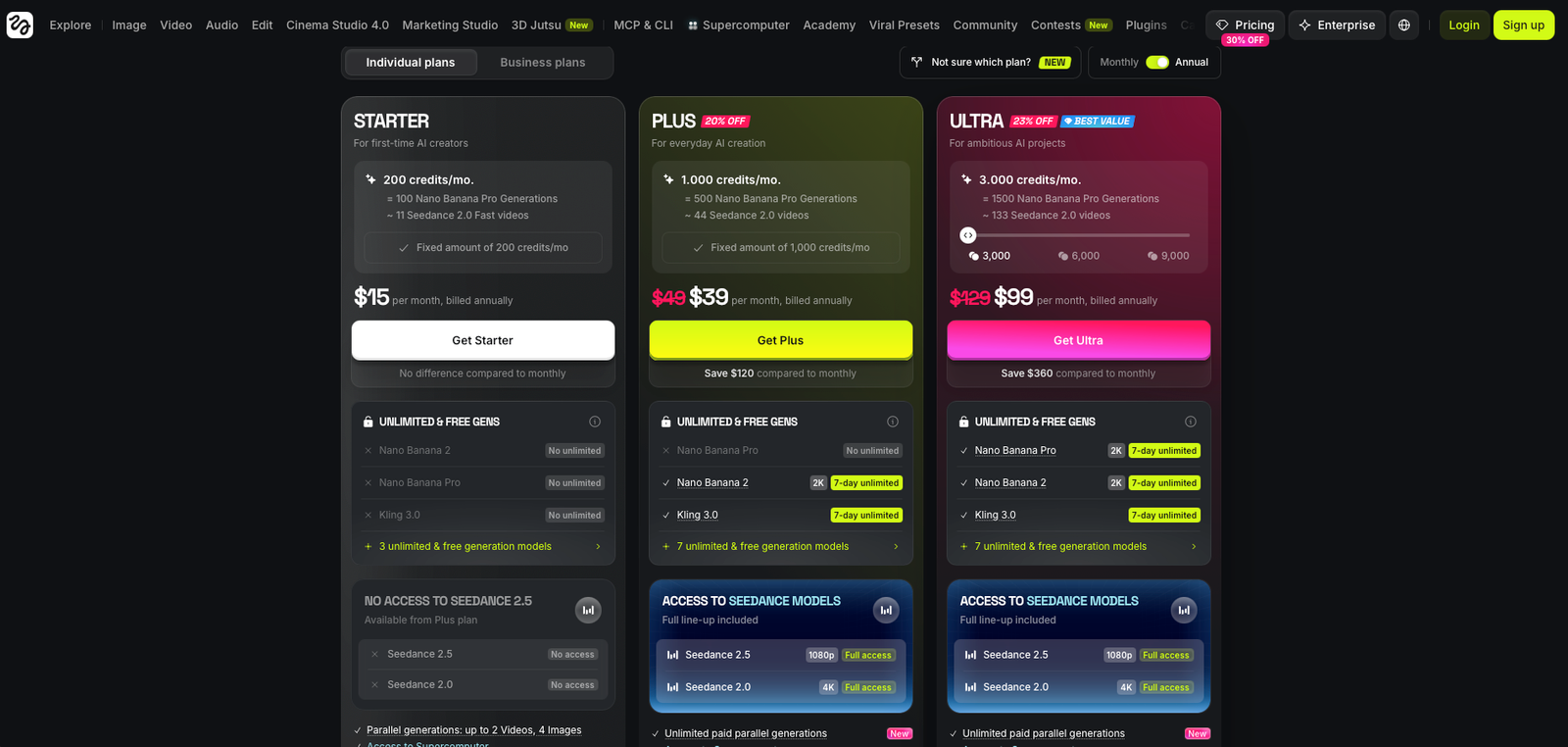
Higgsfield uses a credit-based subscription model, and the exact price depends heavily on billing cycle and active promotions. The pricing screen supplied for this review shows annual billing with Starter at $15 per month, Plus at $39 per month, and Ultra at $99 per month. Plus and Ultra are displayed as discounted from higher standard prices.
Starter
- 200 credits per month shown on the supplied pricing screen
- Designed for first-time AI creators
- Limited access compared with the higher tiers
- Lower generation volume makes experimentation expensive if many retries are needed
Plus
- 1,000 credits per month
- Displayed as discounted from $49 per month
- Broader model access than Starter
- Better fit for regular image and video generation
Ultra
- 3,000 credits per month
- Displayed as discounted from $129 per month
- Built for heavier AI production workloads
- More practical for repeated video iteration and higher-output workflows
What Higgsfield AI does
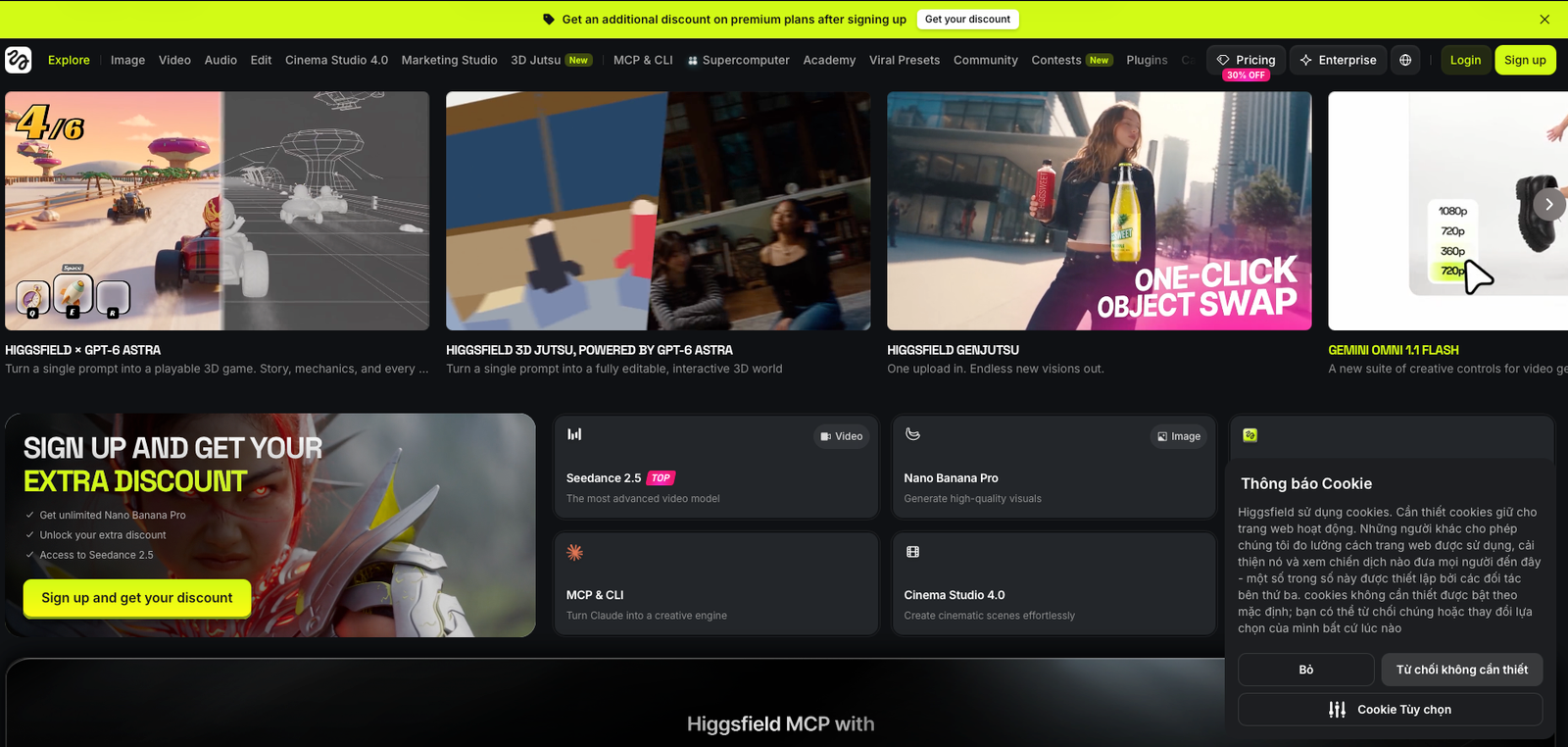
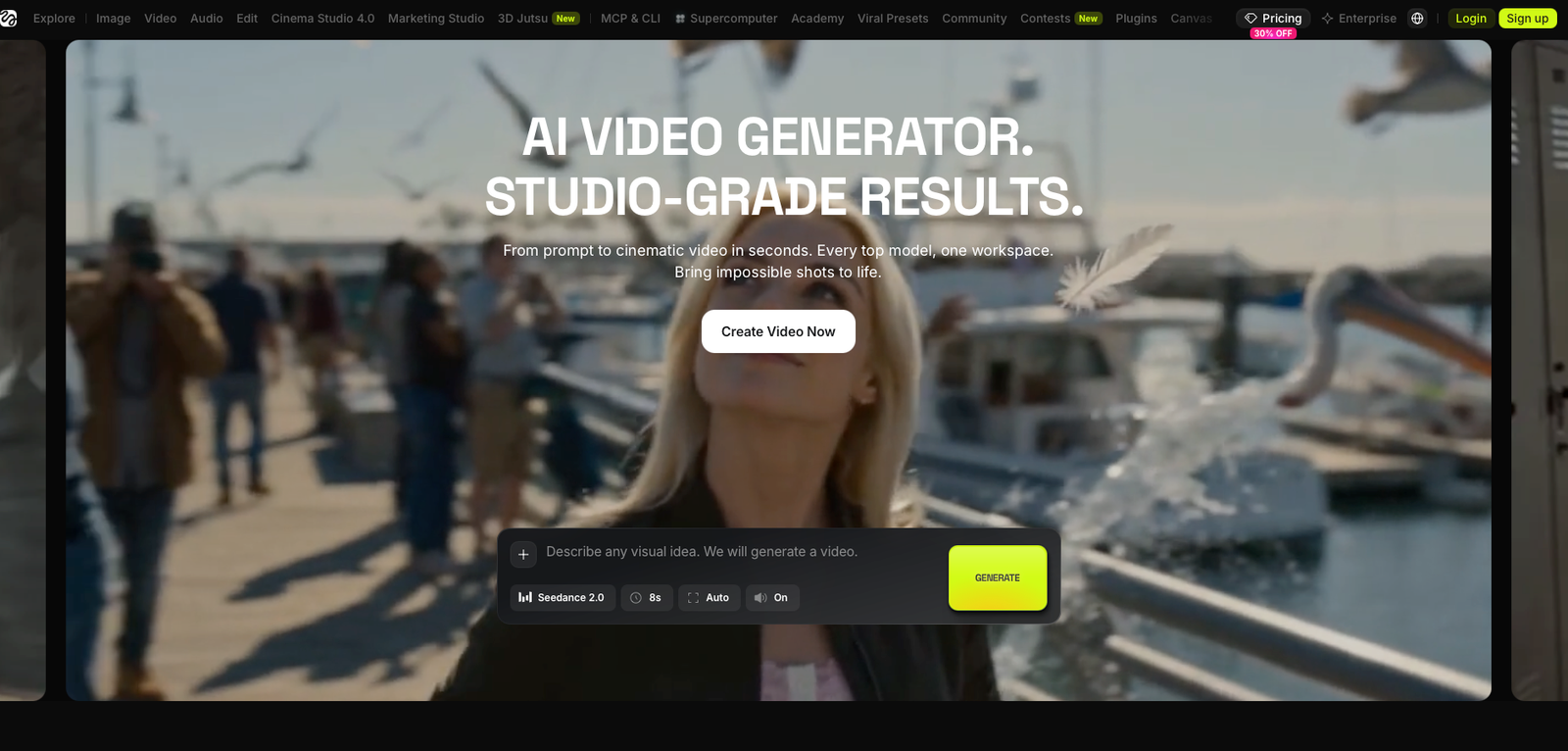
Higgsfield AI is a web-based creative platform for generating and editing AI video and images. Instead of locking creators to one model, it brings multiple video engines and creative workflows into the same environment, alongside tools for image generation, editing, visual effects, character workflows, and cinematic production.
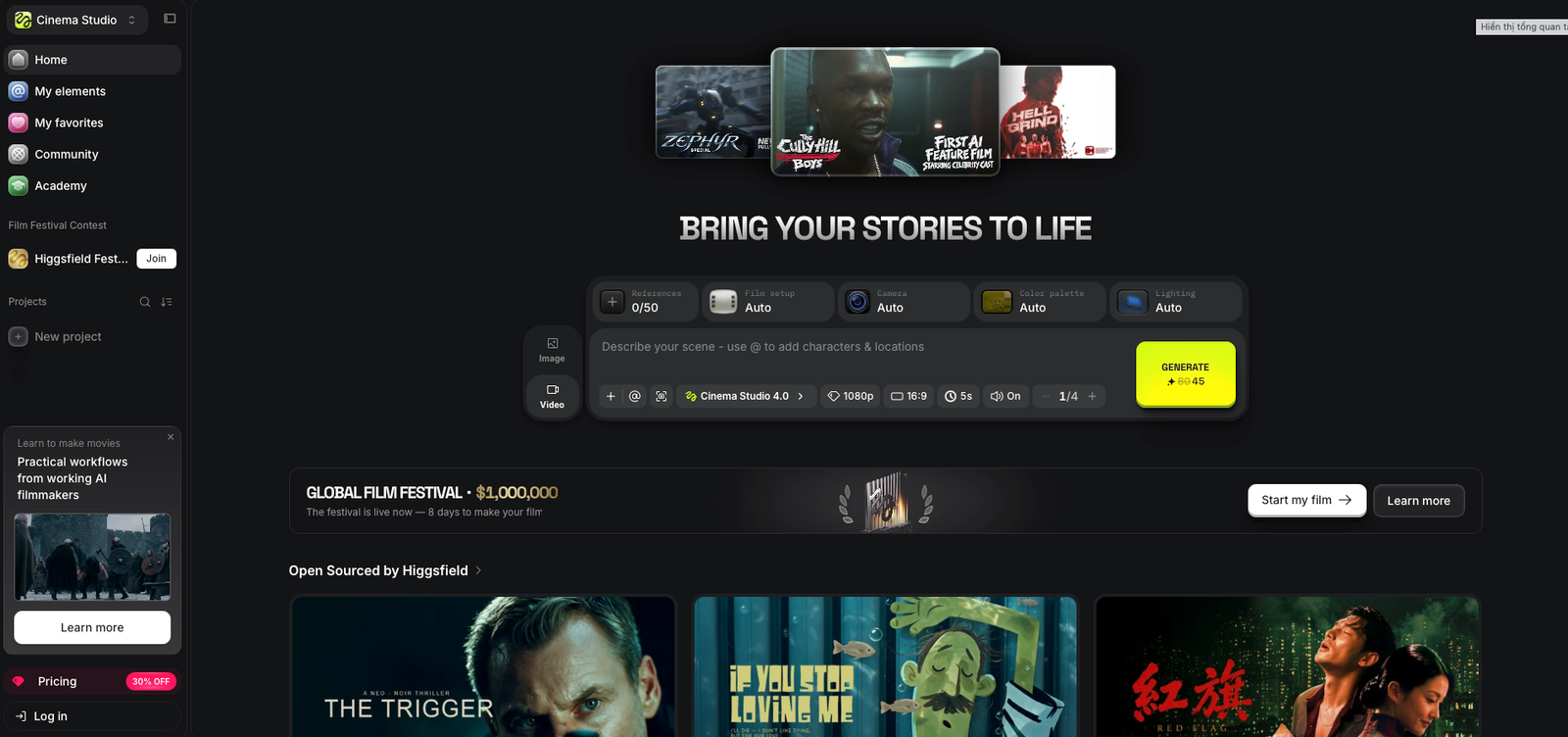
Its most distinctive layer is Cinema Studio: a filmmaking-oriented workspace that adds camera, lens, focal-length, reference, movement, and scene controls on top of generative video. That makes Higgsfield closer to an AI production hub than a single text-to-video generator.
What it does well / Where it falls short
What it does well
- Multiple video models in one place. Higgsfield reduces the need to maintain separate subscriptions and workflows just to test different AI engines.
- Camera control is more than a marketing checkbox. Cinema Studio exposes camera body, lens, focal length, movement, references, scene setup, and other filmmaking-oriented controls.
- Strong creator workflow breadth. Video generation, image generation, editing, motion tools, character consistency, lip sync, and purpose-built creative apps sit under one account.
- Useful for concepting and campaign production. The platform can move from still-image ideation into animation without forcing creators to rebuild the entire workflow elsewhere.
- Interface quality gets consistent praise. Independent reviews and customer sentiment regularly describe Higgsfield as approachable despite its unusually large feature set.
Where it falls short
- Credits are difficult to value at a glance. Different models and workflows consume different amounts, so a headline monthly credit allowance does not translate cleanly into a predictable number of finished videos.
- Retries can become the real cost. Independent testers report that motion, prompt adherence, continuity, and complex shots can require several attempts before producing a keeper.
- The interface can feel fragmented. Higgsfield has grown into many separate Create, Edit, Studio, and specialist areas, which creates more navigation overhead than a single-purpose generator.
- Advanced features have a real learning curve. Cinema Studio is more controllable than basic prompt-to-video, but those controls only become valuable once the user understands shot language and how different models react.
- Promotions complicate purchase decisions. The pricing page can show discounts, annual rates, unlimited-model offers, and promotional benefits that do not necessarily continue into future renewal periods.
- Refund flexibility is limited once credits are used. The standard policy is much less forgiving after generation activity begins.
What people say
What people praise
- A clean interface that makes a large number of AI tools relatively easy to explore
- Wide model selection and the convenience of keeping several creative workflows under one subscription
- Strong-looking image and video outputs when the right model, prompt, and settings line up
- Camera and cinematic controls that offer more creative direction than basic prompt-only generators
- Support experiences that some reviewers describe as fast and helpful
What people complain about
- Credits disappearing quickly when generations need several retries
- Confusion around annual subscriptions, renewals, promotional pricing, and unused credits
- Inconsistent prompt adherence or visual continuity in difficult video scenes
- Support and refund frustration when users expect charges to be reversible after credits have already been consumed
- High expectations created by cinematic marketing that are not always matched by every individual generation
When the paid plan is worth it
Choose Starter if: you are still figuring out whether Higgsfield's workflow fits you and mainly want to test the platform without jumping immediately to a higher annual spend. Its smaller credit pool makes it better for evaluation than sustained video production.
Choose Plus if: you generate regularly and want enough monthly capacity to compare models, iterate on shots, and use the broader platform without constantly running into a small entry-level credit balance.
Choose Ultra if: AI video is already part of your production workflow and you expect to burn credits through multiple versions, higher-end models, Cinema Studio, and repeated refinements.
The real dividing line is not simply how many videos you make. It is how many attempts you need per finished asset. A creator who accepts the first usable result may stretch a credit allowance much further than a filmmaker who regenerates every scene until motion, lighting, character consistency, and camera behavior all match.
Our rating
How it compares
Runway is the most useful direct comparison here because Higgsfield itself has published a head-to-head pricing comparison between the two platforms. The difference is less about whether either tool can create AI video and more about how each platform approaches the workflow.
| Area | Higgsfield AI | Runway |
|---|---|---|
| Core positioning | Multi-model creative hub with cinematic controls and specialist studios | Integrated AI video creation and editing platform |
| Model strategy | Access to multiple third-party and proprietary models inside one workspace | Primarily built around Runway's own model ecosystem and workflow |
| Cinematic control | Strong emphasis on lenses, camera movement, focal length, references, and Cinema Studio | Strong production workflow, editing, generation, and integrated creative tools |
| Pricing model | Credit-based plans with promotional and unlimited-model offers depending on tier | Subscription tiers combining credits with plan-specific generation access |
| Best fit | Creators who want model choice and deeper shot experimentation | Creators who prioritize an integrated, mature AI video workflow |
How to actually use it
- Start with the outcome, not the model. Decide whether you need a social clip, cinematic shot, product visual, character sequence, or concept frame before opening the model selector.
- Create or upload a strong reference frame. Higgsfield works best when you give the video model a clear visual starting point instead of asking it to invent every detail at once.
- Choose the model around the shot. Do not spend expensive credits on the highest-end model automatically; test simpler models where the scene does not require advanced motion or realism.
- Use Cinema Studio when camera behavior matters. Set lens, focal length, framing, motion, lighting, references, and scene intent rather than relying only on a long text prompt.
- Generate a cheap proof before polishing. Validate composition and motion first, then spend more credits on the version worth refining.
- Track cost per keeper. Count how many credits you spend to get one usable final asset. That number is more useful than the platform's headline credits-per-month figure.
Pros & cons
Pros
- Multiple leading AI video models in one workspace
- Unusually deep cinematic camera and lens controls
- Strong combination of image, video, editing, and specialist creative tools
- Useful character and reference-driven workflows
- Good fit for ads, concept work, short films, and visual experimentation
- Clean interface relative to the amount of functionality available
Cons
- Credit consumption can make actual cost hard to predict
- Complex scenes often require several generations
- Plan names, promotions, and pricing can change frequently
- Advanced filmmaking controls add a learning curve
- Refund rules become restrictive once credits are used
- Platform navigation becomes more fragmented as new studios and tools are added
Ready to try it?
Higgsfield makes the most sense when you want more than a single AI video model and intend to use its cinematic controls, image tools, and broader creative workflow.
Visit Higgsfield AIFAQ
What is Higgsfield AI used for?
Higgsfield AI is used to generate and edit AI images and videos, create cinematic shots, build character-driven content, test multiple video models, and produce marketing or entertainment visuals inside one creative platform.
How much does Higgsfield AI cost?
The pricing screen supplied for this review shows annual billing at $15/month for Starter, $39/month for Plus, and $99/month for Ultra. Higgsfield also publishes different standard monthly prices, so billing cycle and promotions materially affect the final price.
Does Higgsfield AI have a free plan?
Higgsfield provides limited free access and free-generation opportunities for some models or promotions, but serious video generation and broader model access are primarily tied to paid plans and credits.
What makes Higgsfield different from other AI video generators?
Its biggest differentiators are multi-model access and Cinema Studio, which adds filmmaking-oriented controls such as references, camera setup, lenses, focal lengths, framing, movement, and scene direction.
Is Higgsfield AI worth it?
It is most compelling for creators who actively use several AI video models and want cinematic control inside one platform. It is less attractive if you only need occasional simple clips or want completely predictable generation costs.
Sources
- Higgsfield AI — official homepage — accessed 2026-07-26
- Higgsfield AI — official pricing — accessed 2026-07-26
- Higgsfield AI — AI Video Generator — accessed 2026-07-26
- Higgsfield AI — Cinema Studio guide — accessed 2026-07-26
- Higgsfield AI — Higgsfield vs Runway pricing comparison — accessed 2026-07-26
- Higgsfield AI — Terms of Use — accessed 2026-07-26
- Trustpilot — Higgsfield AI reviews — accessed 2026-07-26
- Hack'celeration — Higgsfield review — accessed 2026-07-26
- Vidpros — Higgsfield AI review — accessed 2026-07-26
- Reddit — motion-design user review — accessed 2026-07-26
- Curious Refuge — Higgsfield AI Video Generator review — accessed 2026-07-26
- Cybernews — Higgsfield AI review — accessed 2026-07-26