

ngram Review: Is It Worth It for AI Product Videos?
Best for
- SaaS, product marketing, growth, and customer-success teams that need a steady stream of product videos
- Teams that already have product pages, docs, screenshots, presentations, or screen recordings and want AI to turn them into structured videos
- Marketers who want scripting, storyboarding, voiceover, captions, visuals, editing, and branding inside one workflow
- Companies that need repeatable product demos, feature announcements, onboarding videos, tutorials, or sales enablement content
Who should skip it
- Creators whose main need is frame-by-frame manual editing rather than AI-assisted production
- Teams that only want instant raw screen recording and sharing with almost no production layer
- Users who dislike credit-based AI generation and want one completely unlimited price for every type of generation
- Projects where every visual detail must be manually art-directed from the first frame rather than refined from an AI-generated draft
Quick facts
Pricing, verified
ngram uses a credit-based pricing model for AI generation and agentic editing while keeping manual video editing and exports unlimited on its paid plans. The main decision is therefore not simply how many videos you want to make, but how much AI-generated footage and automated editing your workflow will consume.
Free
- 600 one-time credits
- Up to 60 seconds of premium AI-generated footage at the base rate
- 720p export
- Watermarked output
- Designed for testing the workflow
Basic
- 3,000 credits per month
- Up to 300 seconds of premium AI video at the base rate
- 720p exports without the Free watermark
- Unlimited manual edits
- Standard AI models
Premium
- 10,000 credits per month
- Up to 1,000 seconds of premium AI video at the base rate
- 1080p exports
- Advanced AI models
- BrandKit, custom voice, and custom avatar
Ultimate
- 50,000 credits per month
- Up to 5,000 seconds of premium AI video at the base rate
- 4K exports
- Unlimited BrandKits and custom identity assets
- Hosting, analytics, and interactive viewer features
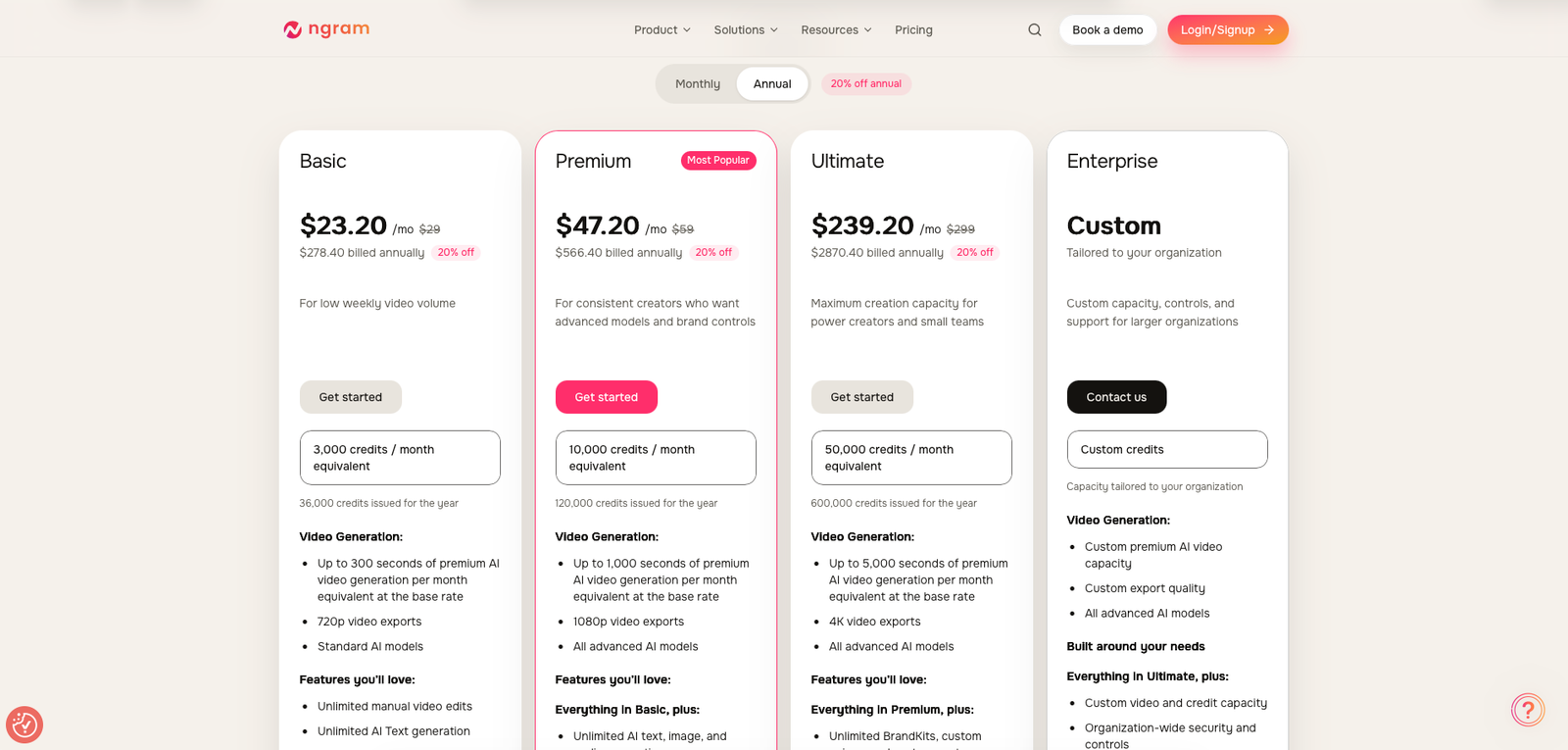
Annual billing reduces the effective paid-plan prices by 20%, making Basic $23.20 per month equivalent, Premium $47.20, and Ultimate $239.20. Annual credits are issued for the full billing period rather than as separate monthly grants.
What ngram does
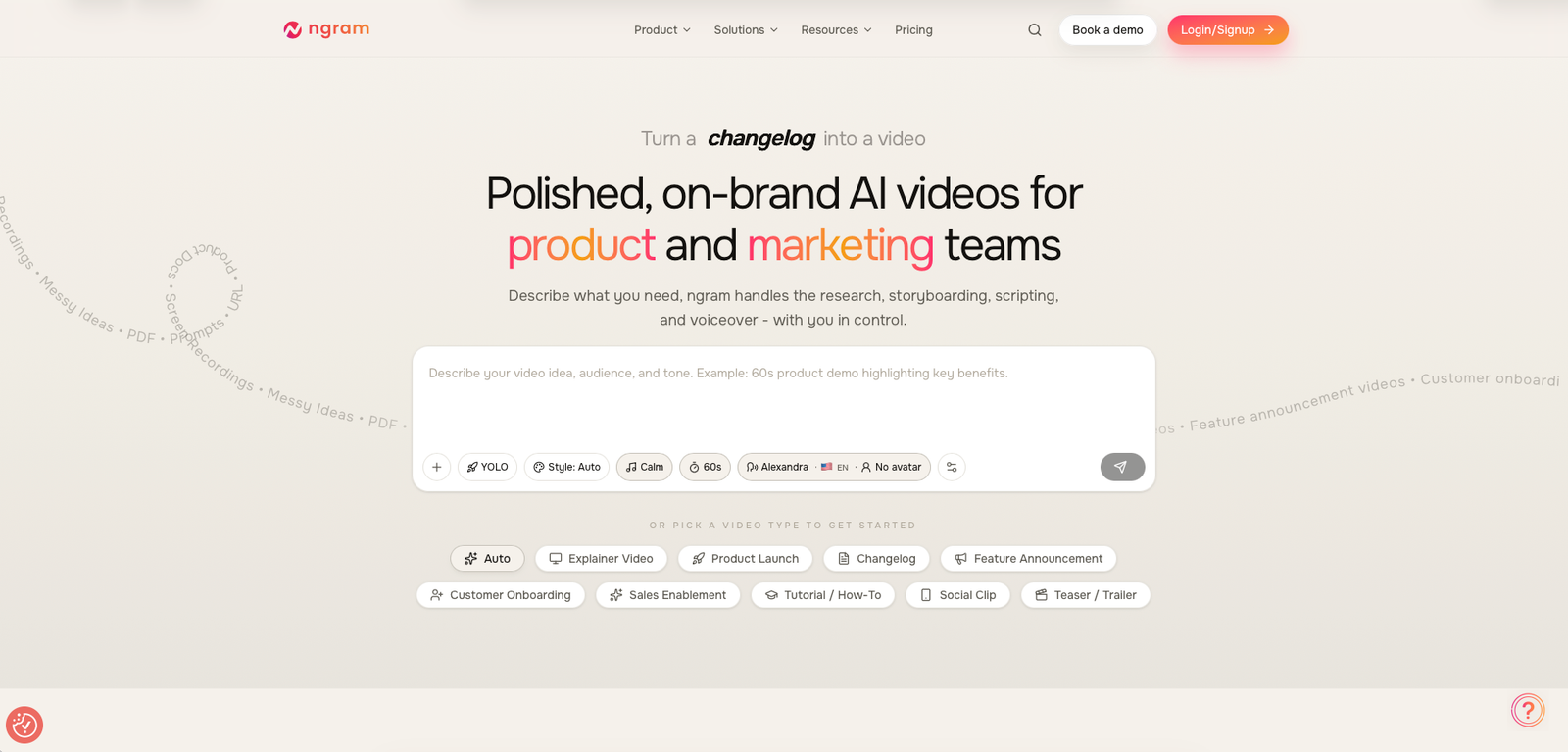
ngram is an AI video creation platform built around turning existing business material into finished videos. Instead of forcing a team to begin from a blank editing timeline, it can start from prompts, URLs, documents, presentations, screenshots, screen recordings, images, or existing footage.
The workflow then moves through research, scripting, storyboarding, narration, visuals, captions, branding, and final editing. That makes ngram especially relevant for product demos, feature announcements, onboarding, tutorials, customer education, sales videos, and recurring marketing content.
What it does well / Where it falls short
What it does well
- It starts from material businesses already have. Product pages, PDFs, docs, screenshots, decks, and screen recordings can become source material rather than forcing the creator to rewrite the entire story manually.
- The script and storyboard come before the expensive part. ngram's planning workflow gives teams a chance to shape the message and scene structure before committing credits to the final generation.
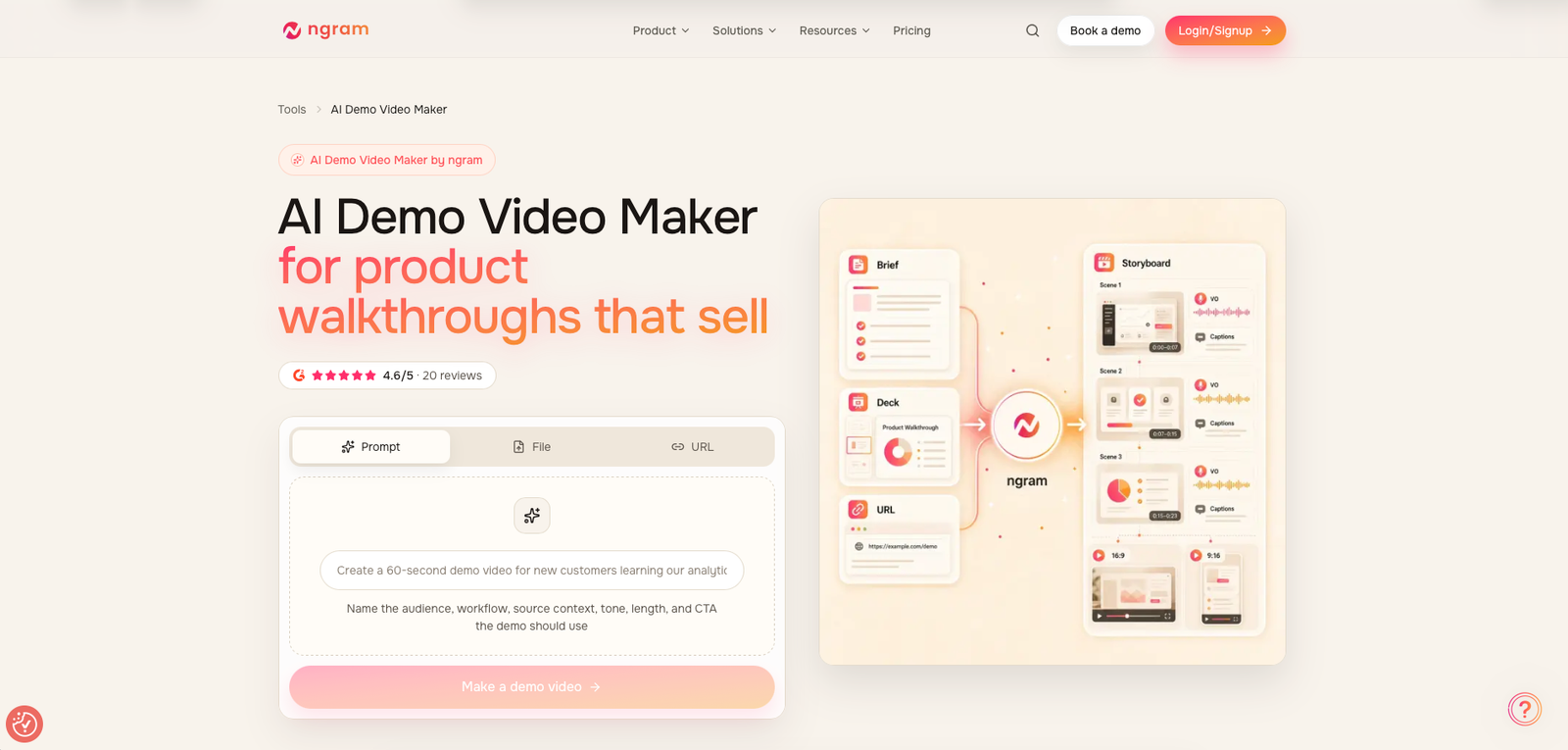
- It is particularly strong for product demos. Screen recordings can be combined with scripts, zooms, callouts, captions, voiceover, AI visuals, and branding instead of being treated as raw recordings that must be polished elsewhere.
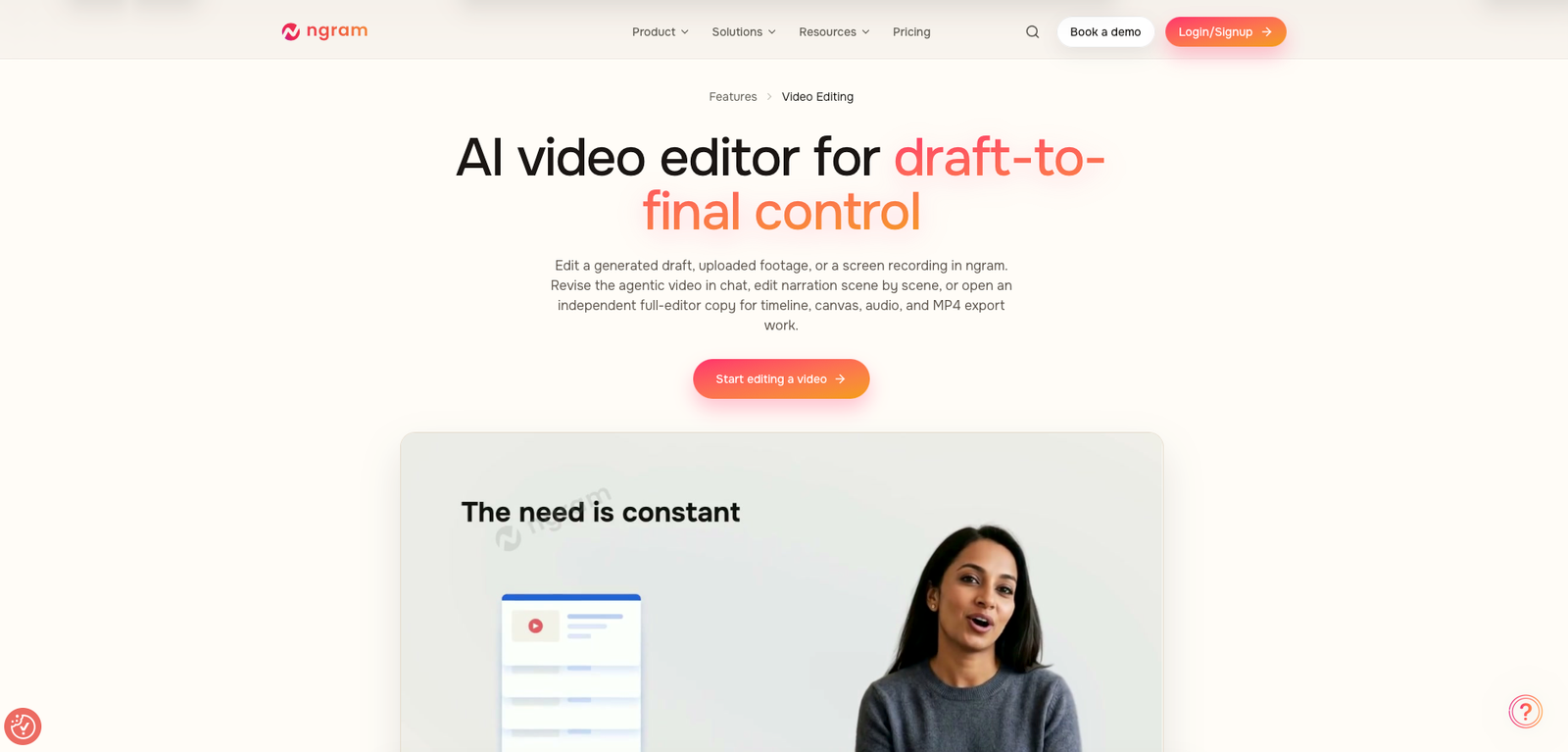
- The workflow continues after the first AI draft. Users can revise through chat and script edits or open a fuller timeline/canvas editing environment for more direct control.
- Branding becomes reusable. Premium adds BrandKit plus custom voice and avatar options, while Ultimate expands those identity assets for heavier team use.
- It covers more of the publishing lifecycle than a basic generator. Higher plans add video hosting, embeddable players, viewer analytics, quizzes, guided clicks, hotspots, and branching.
Where it falls short
- Credits make cost less predictable than the subscription price suggests. Different models, generated footage, and AI editing operations consume different amounts, so the true metric is credits per usable finished asset.
- The first draft can still need human cleanup. Independent testing reports occasional awkward visual placement, overlapping elements, or scenes that need revision before the video feels production-ready.
- Free is for evaluation rather than sustained production. The one-time 600-credit allocation is enough to understand the workflow but not a realistic long-term production allowance.
- Basic stays at 720p. Teams that need 1080p output and stronger branding controls are effectively pushed toward Premium.
- Interactive features require the highest self-service tier. Viewer engagement, advanced analytics, and richer hosted-video features sit on Ultimate, which is a substantial jump in price.
- The workflow is broader than a simple recorder. That is a strength for polished marketing videos, but unnecessary complexity if the real requirement is only “record my screen and send the link.”
When a paid plan is worth it
Stay on Free while validating the process. Use the one-time credits to test whether ngram can understand your product material, write an acceptable script, structure a useful storyboard, and produce a draft that saves real production time.
Basic makes sense for low-volume product video work. At $29 per month, it gives you recurring credits and removes the Free watermark, but 720p output and standard-model access mean it is best viewed as an entry production tier.
Premium is the strongest value for regular marketing use. The jump to 10,000 credits, 1080p, advanced models, BrandKit, custom voice, and custom avatar makes it much more suitable for ongoing product demos, feature launches, onboarding, and marketing campaigns.
Ultimate is for video operations rather than occasional creation. The value is not only 50,000 credits and 4K output. It also adds the hosting, viewer analytics, interactive experiences, unlimited brand assets, and team-oriented capacity needed when video becomes part of a larger customer or sales workflow.
Our rating
How it compares
VEED is a useful direct comparison because both can produce polished browser-based video, but they approach the work from different directions. ngram is more source-to-video and automation-led, while VEED is stronger when the editor itself is the center of the workflow.
| Area | ngram | VEED |
|---|---|---|
| Core workflow | Turn prompts, docs, URLs, screenshots, and recordings into scripted, storyboarded videos | Browser-based video creation and editing with broad manual control |
| Product demo focus | Strong source-to-demo workflow with screen recordings, AI editing, callouts, captions, and branding | Strong editing flexibility for users willing to assemble and polish more manually |
| Planning automation | AI can help structure the script, storyboard, scenes, and creative direction before rendering | More editor-centric workflow |
| Manual editing | Available through script, chat, canvas, and timeline tools | One of the platform's core strengths |
| Best fit | Product and marketing teams turning existing business content into repeatable video assets | Marketers and creators wanting a broader general-purpose browser editor |
How to actually use it
- Start with the best source material you already have. Use a product page, launch brief, help article, PDF, screenshots, or a clean screen recording instead of trying to explain the whole product from memory in one prompt.
- Define the audience and outcome. Tell ngram whether the video is for prospects, customers, onboarding, sales, support, or social distribution and what the viewer should understand or do afterward.
- Review the script before generating. Fix positioning, claims, feature names, and unnecessary sections before spending credits on visuals or generated footage.
- Review the storyboard scene by scene. Check that each visual actually supports the narration rather than accepting the first automatic scene plan.
- Generate, then revise surgically. Use chat or script-based edits for targeted changes instead of regenerating the entire video every time one scene needs work.
- Move into the full editor only when necessary. Use timeline, canvas, audio, music, and other manual controls for final polish rather than starting with detailed editing before the narrative works.
Pros & cons
Pros
- Starts from URLs, documents, screenshots, presentations, recordings, and prompts
- Script and storyboard can be reviewed before final generation
- Strong fit for SaaS product demos and marketing videos
- AI-assisted editing plus a fuller manual editor
- BrandKit, voice, avatar, and localization capabilities
- Free tier provides a real workflow test
- Paid plans include unlimited manual editing and exports
- Higher tiers add hosting, analytics, and interactive video
Cons
- Credit-based generation makes cost per finished video variable
- AI scenes can still require cleanup and revision
- Basic remains limited to 720p
- Advanced branding starts on Premium
- Interactive video features require Ultimate
- Ultimate is a large jump from Premium
- Overkill if all you need is simple screen recording and sharing
- Smaller independent-review footprint than long-established video platforms
Ready to create your first video?
Start with the Free plan using a real product page, document, or screen recording. The fastest way to judge ngram is to see whether its script, storyboard, and first draft save enough production time to justify moving to a recurring credit plan.
Visit ngramFAQ
What is ngram used for?
ngram is used to turn source material such as prompts, product URLs, documents, screenshots, presentations, and screen recordings into scripted and edited videos for product marketing, demos, onboarding, tutorials, sales, and customer education.
Is ngram free?
Yes. The Free plan includes a one-time allocation of 600 credits and 720p watermarked exports, making it useful for testing the workflow before subscribing.
How much does ngram cost?
Monthly pricing starts at $29 for Basic, followed by $59 for Premium and $299 for Ultimate. Annual billing reduces the effective monthly price by 20%.
Does ngram have a video editor?
Yes. Generated drafts and uploaded footage can be revised through AI-assisted chat and script changes, while a fuller editor provides timeline, canvas, audio, music, effects, and export controls.
Is ngram good for product demo videos?
Product demos are one of ngram's strongest use cases because it can combine product pages, documentation, screenshots, and screen recordings with AI-generated scripts, voiceover, captions, callouts, branding, and editing.
Sources
- ngram — official homepage — accessed 2026-08-10
- ngram — official pricing — accessed 2026-08-10
- ngram — AI Demo Video Maker — accessed 2026-08-10
- ngram — AI Video Editing — accessed 2026-08-10
- ngram — product features — accessed 2026-08-10
- ngram — Terms and Conditions — accessed 2026-08-10
- G2 — ngram reviews — accessed 2026-08-10
- The Business Dive — ngram review — accessed 2026-08-10
- AI Tools SME — ngram review — accessed 2026-08-10
- Work Management — ngram review — accessed 2026-08-10